News Suite by Sony: News & Magazines App
News Suite by Sony is a news and magazines app by Sony Group Corporation that organizes articles from thousands of feeds into two customizable tabs.
News Suite by Sony aggregates articles from thousands of feeds into a two-tab interface, with a general News tab and a personalized My Feeds tab. It includes push notifications, scheduled news updates, bookmarks, and sharing options for social platforms. The app is free to use, requires Android 10 or higher, and has a download size of 42 MB.
Screen gallery
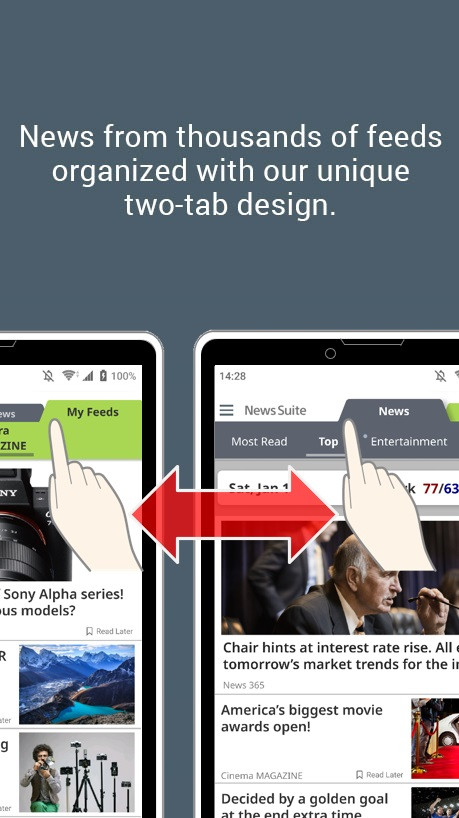
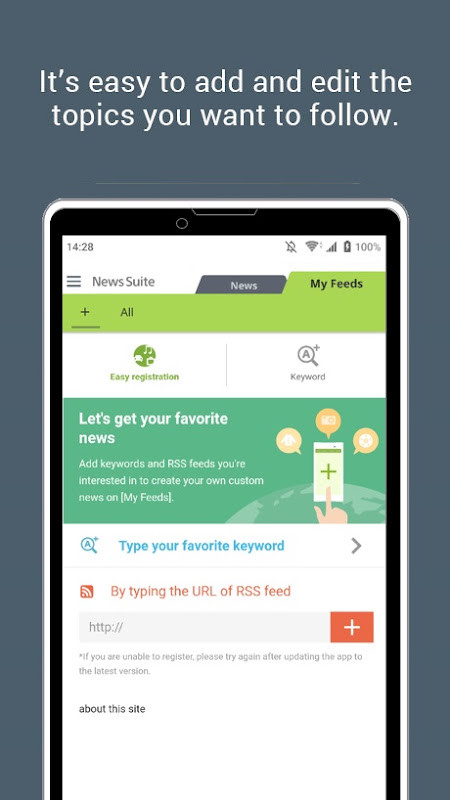
News Suite by Sony is a news and magazines app by Sony Group Corporation that aggregates articles from thousands of feeds into two easy-to-navigate tabs. Designed for Android 10 and above, the app weighs about 42 MB and offers a streamlined way to keep up with current events without hopping between multiple sites or services. Its core idea is to separate general coverage from personalized content, so you can quickly switch between a broad overview of world affairs and stories tailored to your interests.
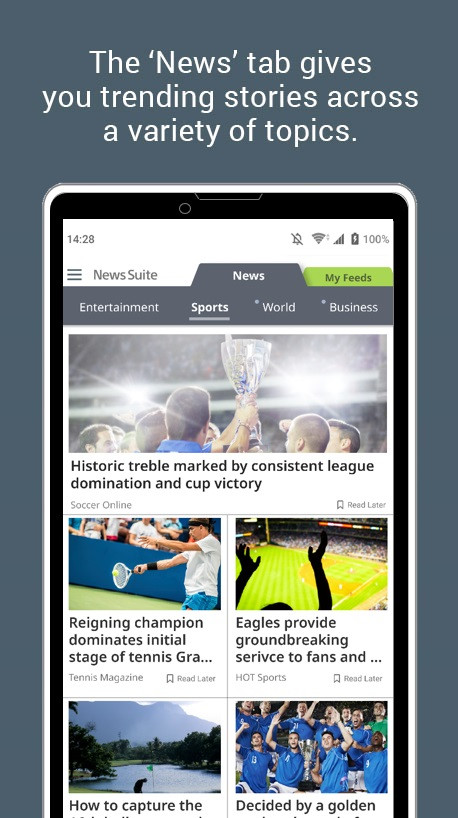
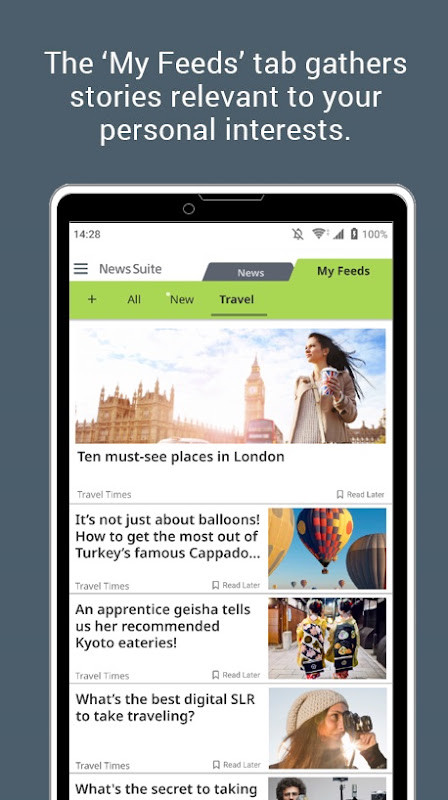
The app’s “News” tab organizes articles by genre—such as General News, Entertainment, Sports, and Food—while the “My Feeds” tab builds a custom list based on topics you follow. This two-tab layout aims to reduce clutter and make daily reading more efficient. For users who want timely updates, push notifications can be enabled to receive breaking stories as they happen, and a “Scheduled News” option lets you set periodic alerts for specific subjects. Articles can be saved to a bookmarks list for later reading, and sharing stories with friends on social platforms like Facebook and X is built in.
News Suite is aimed at anyone who wants a single destination for both essential news and niche interests. Whether you are a casual reader who checks headlines in the morning or someone who follows specific beats closely, the app’s structure tries to balance breadth with personalization. It includes ads to keep the app free, and it requests access to location and Wi-Fi connection information, which is worth considering if you are privacy-conscious. The app has been available since 2012 and continues to receive updates, with recent versions focusing on performance improvements and bug fixes.
Key features
- Two-tab design: switch between a general “News” tab and a personalized “My Feeds” tab
- Organized genres in the News tab, including General News, Entertainment, Sports, and Food
- My Feeds tab delivers articles customized to your favorite topics
- Push notifications for important stories as they develop
- Scheduled News feature lets you customize periodic notifications for specific topics
- Bookmark articles to read later
- Share stories with friends on Facebook and X
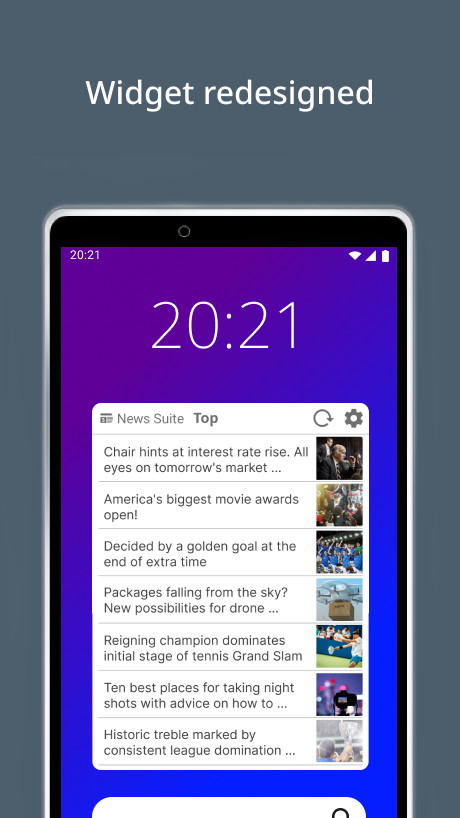
- Redesigned widget that can be added from the home screen
- Article categories can be changed to options like Sports, Entertainment, or Most Read
How to install
- Tap the download button on this page to get the APK file (42 MB).
- When Android asks, allow your browser or file manager to install apps by enabling the “Install unknown apps” setting.
- Open the downloaded APK file from your notifications or file manager.
- Tap Install and wait for the installation to complete.
- Open the app from your home screen or app drawer.
- Ensure your device runs Android 10 or higher before installing.
Pros
- Free to use with no in-app purchases
- Combines thousands of feeds into one app
- Personalized content via My Feeds tab
- Supports push notifications and scheduled alerts
- Bookmark and sharing features are handy
- Regular updates with performance improvements
Cons
- Includes ads
- Requests location and Wi-Fi connection permissions
- Changing region resets the app, deleting feeds and bookmarks
Latest changes
The widget received a new design and can now be added from the home screen. Article categories within the widget are selectable, including options like Sports, Entertainment, and Most Read. Version 5.3.16 focuses on performance improvements and bug fixes. The app continues to aggregate articles from thousands of feeds into two tabs: News for general topics and My Feeds for personalized content. Push notifications remain available, including a scheduled news option for periodic updates on chosen topics. Users can save articles to bookmarks and share stories. The latest listed versions include 5.6.10.30.2, 5.5.09.30.1, 5.2.37.30, 5.0.48.30.2, and 5.4.12.31.
Version history
| Version | Size | Requires Android | Updated |
|---|---|---|---|
| 5.6.10.30.2 | 42 MB | 10 | Sep 22, 2026 |
| 5.5.09.30.1 | 21 MB | 8.0 | Sep 10, 2026 |
| 5.2.37.30 | 16 MB | 5.1 | Sep 6, 2026 |
| 5.0.48.30.2 | 8.4 MB | 4.1 | Sep 5, 2026 |
| 5.4.12.31 | 18 MB | 7.0 | Sep 2, 2026 |
| 5.3.16.30.1 | 14 MB | 6.0 | Aug 27, 2026 |
| 5.6.11.30.1 | 42 MB | 10 | Aug 27, 2026 |
| 5.6.09.30.1 | 42 MB | 10 | Jun 24, 2026 |
| 5.6.05.30.2 | 42 MB | 10 | Apr 4, 2026 |
News Suite is for Android users who want a single app to read both general news and personalized content, especially those who appreciate push notifications and the ability to save or share articles without juggling multiple news sources.
To change the news region, go to your phone settings, clear the app’s storage (this deletes feeds and bookmarks), restart the app, then select the region under Terms of service. You can manage notification timing and frequency in Settings > Notifications.
Permissions
FAQ
Is News Suite by Sony free to download?
Yes, the app is free. There are no in-app purchases, and the listed price is 0.00 USD, though it does contain ads.
What Android version and file size should I expect?
The app requires Android 10 or higher. The installation file is about 42 MB in size.
Do I need to create an account to use the app?
No account is required to start using the app. You can simply open it and begin browsing the News and My Feeds tabs.
What permissions does the app request?
The app requests access to your location and Wi-Fi connection information. These are used to deliver relevant news and manage connectivity.
How do I update the app to the latest version?
To update, download the newest version available on this page and install it over your current one. The latest listed version is 5.6.10.30.2, released on September 22, 2026.
Can I change the news region to match where I live?
Yes, you can change the region by clearing the app's storage from your device settings, restarting the app, and then selecting your region under the Terms of service link on the starting screen. Note that this resets your feeds and bookmarks.
News Suite by Sony offers a practical way to consolidate news reading into one free app, with a clear two-tab structure that separates broad coverage from personal interests. While it does include ads and requests a couple of permissions, its customization options and notification features make it a solid choice for staying informed.
Similar apps

Updated: Nov 4, 2026