SMS Telebot: Forward Phone Events
SMS Telebot is a free phone and SMS tool by Teslor Dev that lets you forward SMS, calls, pushes, and battery alerts to Telegram, ntfy, email, or SMS.
SMS Telebot version 0.8.4 is 19 MB and requires Android 6.0 or newer; it contains no ads and no in-app purchases. The app offers flexible routing rules, regex filtering, encrypted credential storage, and automatic retries for failed deliveries. It suits users who need reliable event forwarding on devices with aggressive battery restrictions.
Screen gallery
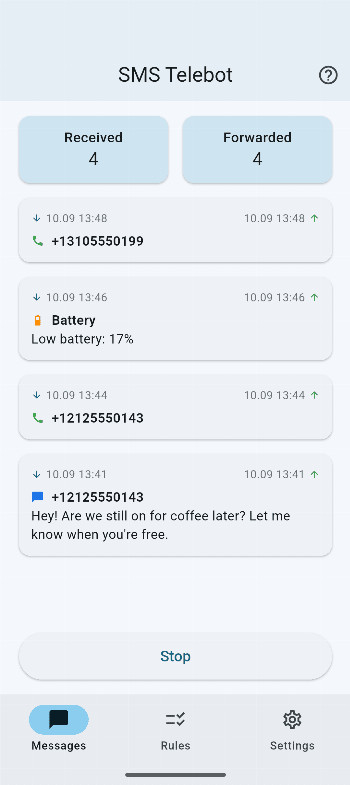
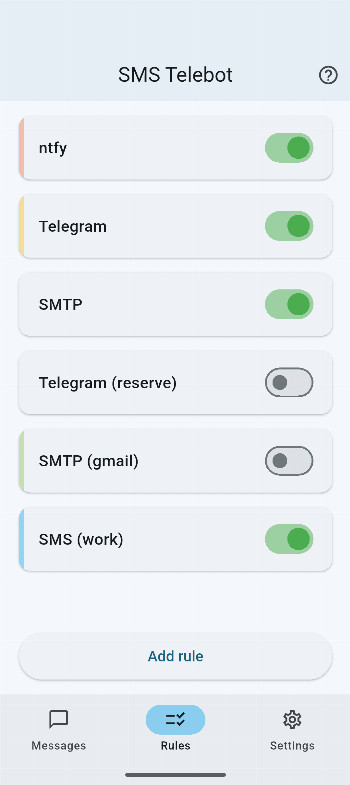
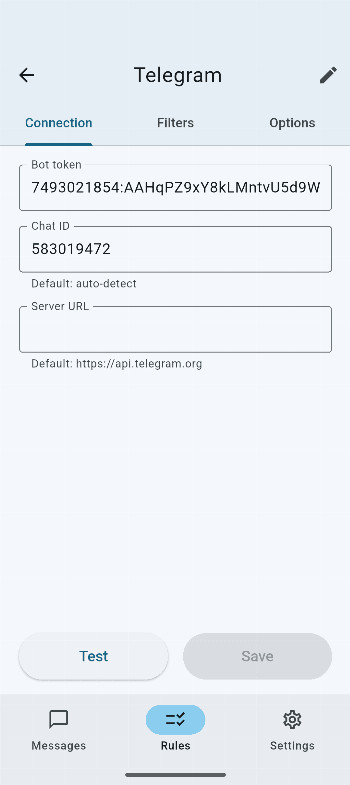
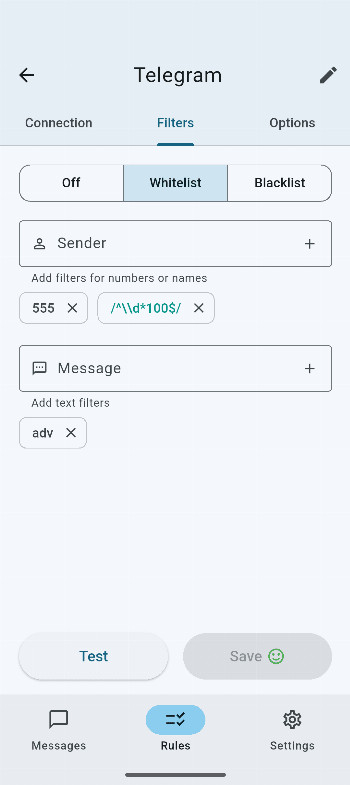
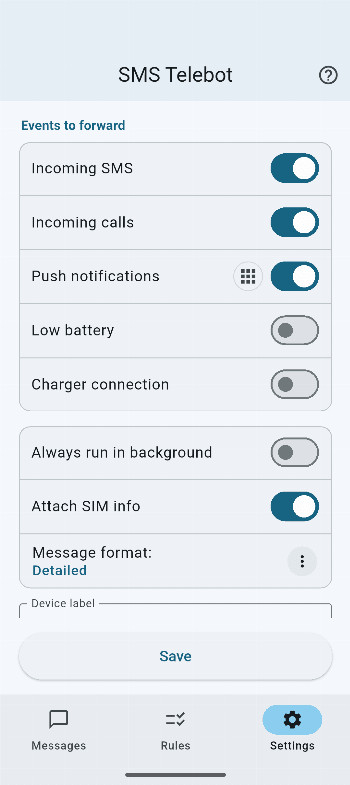
SMS Telebot is a communication utility by Teslor Dev that forwards incoming SMS, calls, push notifications, low-battery alerts, and charger connection changes to destinations you choose, such as Telegram bots, ntfy topics, email addresses via SMTP, or other phone numbers via SMS. The app acts as a bridge between your phone's events and the messaging channels you already use, so you can stay informed without needing to check your device directly. It is designed for people who want a reliable, customizable way to monitor their phone remotely, whether for personal convenience or practical use cases like keeping a second SIM active or tracking an older device. The current version is 0.8.4, requires Android 6.0 or higher, and takes up about 19 MB of space, making it lightweight enough for most devices.
At its core, the app gives you flexible routing: you can create multiple rules that decide which events go where. For example, you might send all SMS from a specific contact to your Telegram, while forwarding low-battery alerts to your email. Advanced filtering options let you narrow down by sender or message content, with support for regular expressions and both whitelist and blacklist modes. You can also customize the format of forwarded messages, so the information appears exactly how you want it. The app runs in an always-on background mode, which helps it work reliably even on phones with aggressive battery-saving settings, and it automatically retries any failed forwarding attempts once connectivity is restored.
Privacy is a clear focus here: there are no hidden servers, trackers, or ads, and your data goes only to the destinations you configure. Sensitive credentials like tokens and passwords are stored in encrypted form. However, to get the best performance, you should exclude the app from battery optimization on your device, and note that some Android manufacturers impose strict background limits that can affect behavior depending on your firmware. This makes SMS Telebot a solid choice for anyone comfortable with a bit of initial setup who wants a dependable, self-hosted-style notification system on their Android phone.
Key features
- Flexible routing with multiple rules to forward events to different destinations
- Advanced filtering by sender or message content, including regex support, whitelist, and blacklist modes
- Customizable message formats for forwarded events
- Always-on background mode for improved reliability on devices with aggressive battery restrictions
- Automatic retries for failed forwarding attempts when connectivity issues are resolved
- Secure encrypted storage for sensitive credentials like tokens and passwords
- Privacy-focused: no hidden servers, trackers, or ads; data only goes to configured destinations
How to install
- Tap the download button on this page to get the APK file, which is about 19 MB in size.
- When prompted, allow your browser or file manager to install apps by enabling the 'Install unknown apps' setting for that app.
- Open the downloaded APK file from your notification bar or file manager.
- Tap 'Install' when the installation screen appears.
- Once installed, open SMS Telebot and grant the necessary permissions (like SMS and notification access) to start using it.
- Note: The app requires Android 6.0 or higher to run.
Pros
- No ads, trackers, or hidden servers—privacy-friendly design
- Supports multiple destinations: Telegram, ntfy, email, and SMS
- Advanced filtering with regex and whitelist/blacklist modes
- Automatic retries help ensure messages are not lost
- Encrypted storage for sensitive credentials
- Lightweight at 19 MB
Cons
- Requires manual exclusion from battery optimization for reliable background operation
- Performance may vary on devices with strict manufacturer background limits
- Initial setup can be complex for beginners due to multiple rules and filters
Version history
| Version | Size | Requires Android | Updated |
|---|---|---|---|
| 0.8.4 | 19 MB | 6.0 | Oct 26, 2026 |
| 0.8.3 | 19 MB | 6.0 | Sep 23, 2026 |
SMS Telebot is for Android users who want to forward phone events like SMS, calls, push notifications, and battery alerts to other messaging platforms, especially those who need remote monitoring of a device or prefer a self-configured, privacy-focused notification system. It suits both tech-savvy individuals comfortable with regex and rules, and casual users who just want a simple way to keep an eye on an old phone or secondary SIM.
Start with a single simple rule, like forwarding all SMS to your Telegram, to understand how routing works. Then gradually add filters for specific senders or content. Remember to exclude SMS Telebot from battery optimization in your device settings, and test the forwarding after each change to ensure everything works as expected. If you use regex, try simple patterns first before moving to complex ones.
FAQ
How do I install the SMS Telebot APK on my Android device?
The APK requires Android 6.0 or higher. After downloading the file, open it from your file manager or notification and follow the on-screen prompts. If your device asks for permission to install from unknown sources, you may need to allow it for the browser or file manager you are using.
What is the current version of SMS Telebot?
The current version is 0.8.4, which was updated on October 26, 2026. It follows the previous release, 0.8.3, from September 23, 2026.
Does SMS Telebot contain ads or require in-app purchases?
No. The app is free to use and does not include ads, hidden servers, or trackers. There are no in-app purchases mentioned; all features described are available without extra payments.
Can SMS Telebot work offline or without an internet connection?
The app needs a network connection to forward events to destinations like Telegram, ntfy, email, or SMS. However, if a forwarding attempt fails due to temporary connectivity issues, the app automatically retries once the connection is restored.
Are there other apps in the Phone & SMS category that offer similar event forwarding?
Yes, other apps in the Phone & SMS category provide similar notification forwarding features. When comparing options, consider factors like routing flexibility, filtering capabilities, background reliability, and privacy practices to find what suits your needs.
Does SMS Telebot store my credentials securely?
Yes. Sensitive information such as tokens and passwords is stored in encrypted form, and the app is privacy-focused with no hidden servers or trackers. Data is only sent to the destinations you configure.
SMS Telebot offers a powerful yet private way to keep track of your phone's activity from any messaging app you prefer. With its flexible routing, advanced filtering, and emphasis on data security, it stands out as a reliable tool for remote monitoring. While it requires a bit of setup and attention to battery settings, the payoff is a dependable notification system tailored to your needs.
Similar apps


Updated: Nov 3, 2026