Samsung Global Goals: Donate via Ads
Samsung Global Goals is a free education app by Samsung Electronics Co., Ltd. that lets you earn donations for UN causes by viewing ads.
Samsung Global Goals has a file size of 103 MB and requires Android 12 or newer, with ads present and no in-app purchases. It offers educational content about the 17 Sustainable Development Goals, plus wallpapers, articles, and watch support. This app suits people who want to contribute to global causes by simply using their phone.
Screen gallery
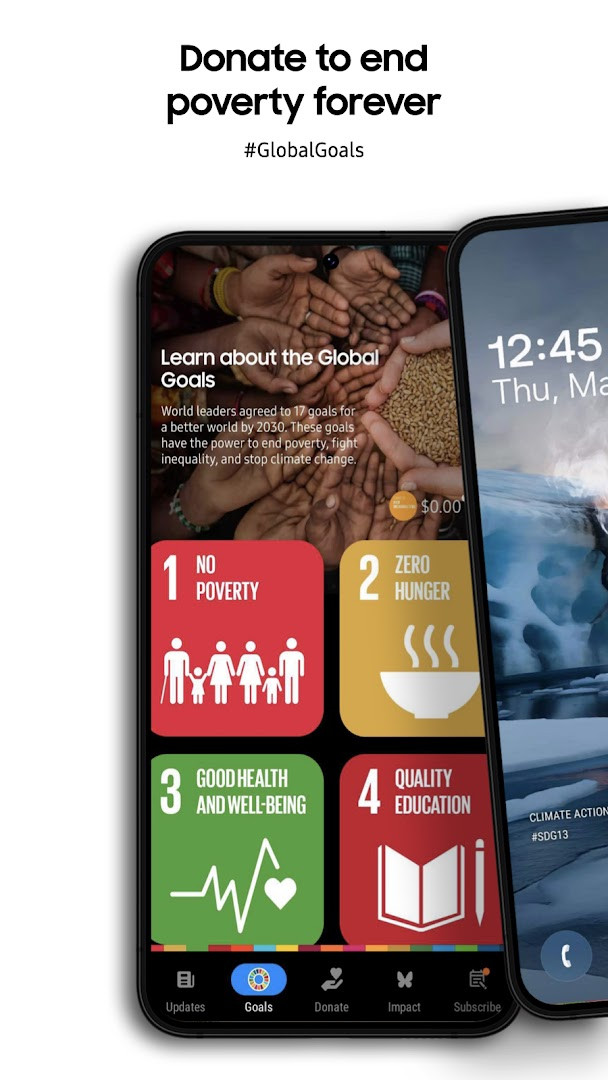
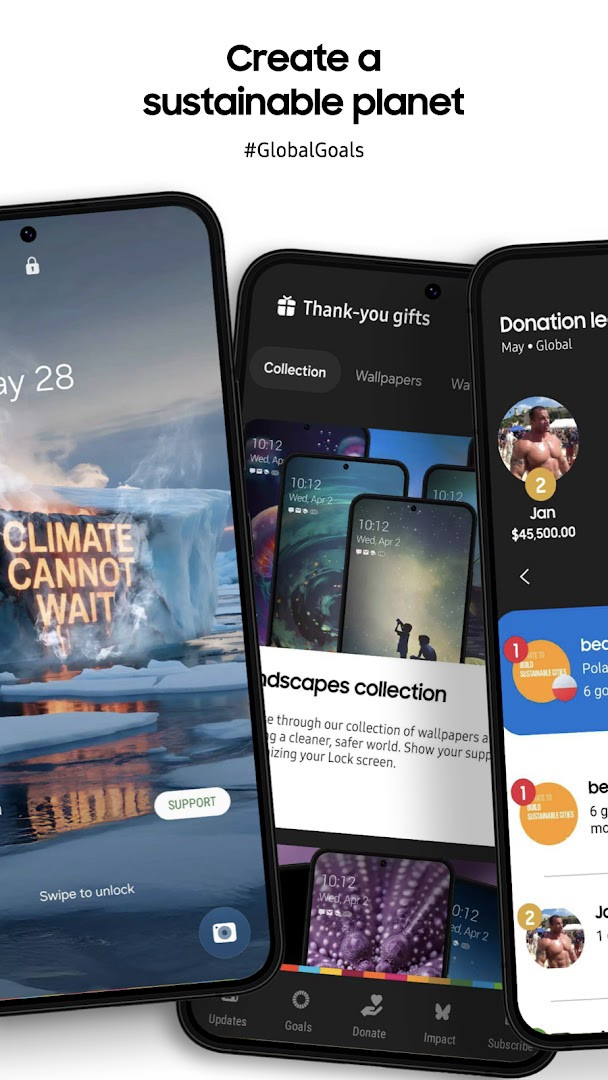
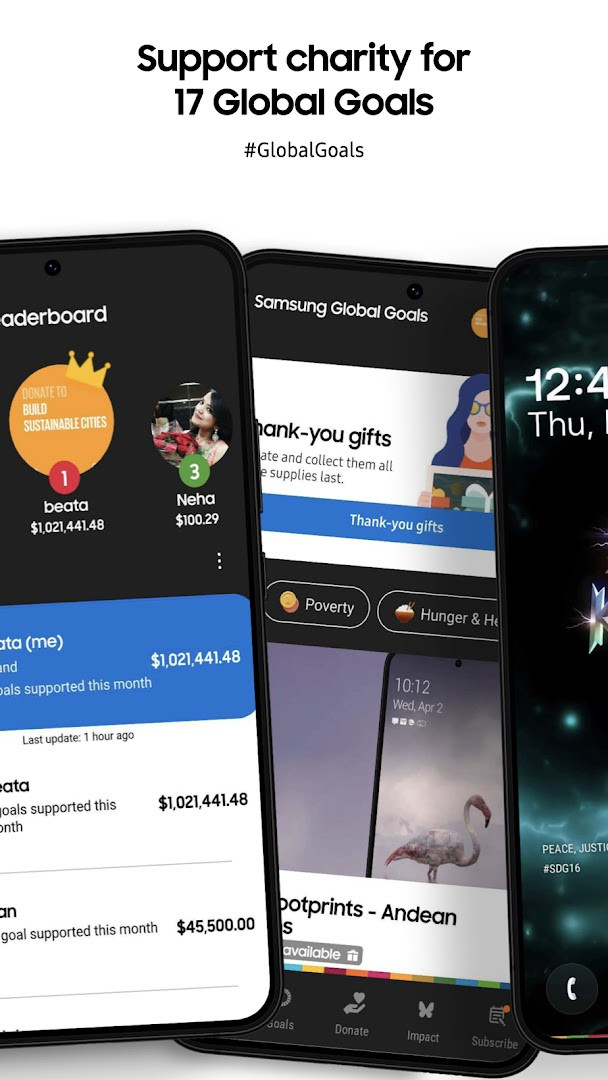
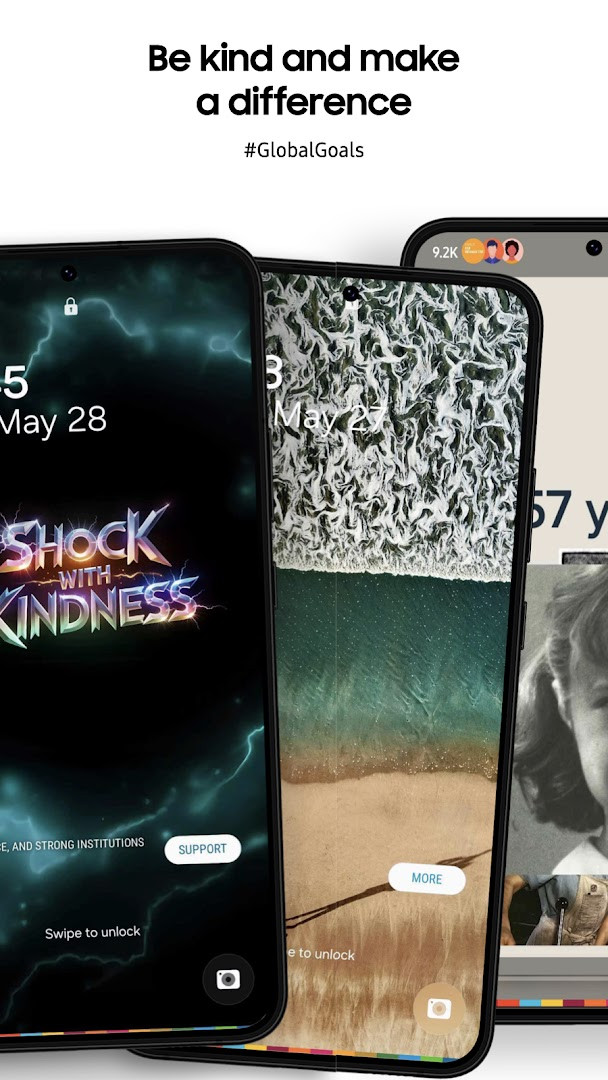
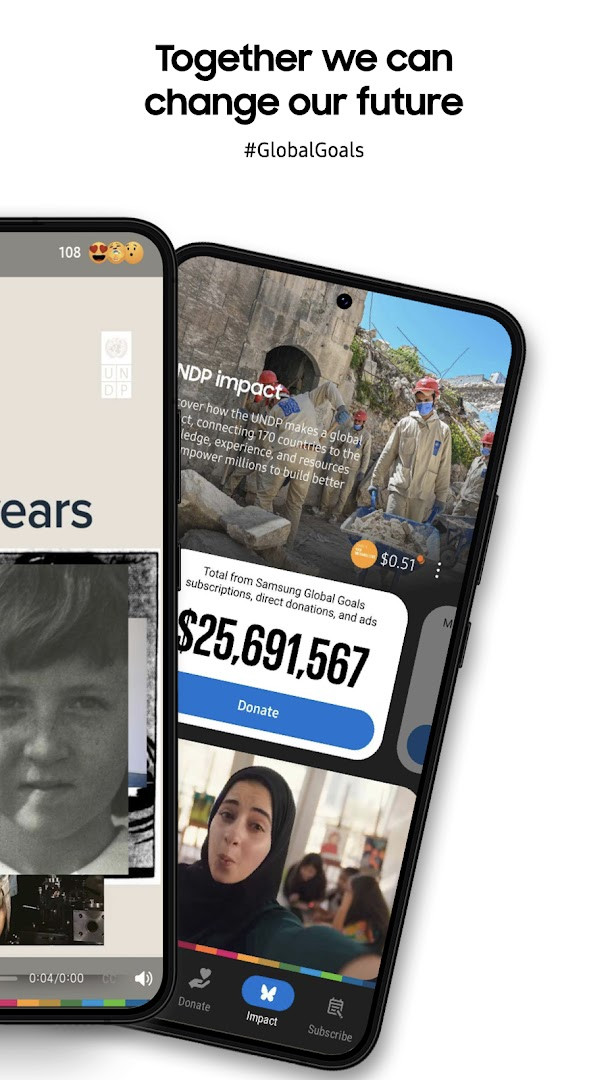
Samsung Global Goals is an education and social-impact app by Samsung Electronics Co., Ltd. that converts your everyday attention into donations for the United Nations' Sustainable Development Goals (SDGs). Instead of asking for money directly, the app shows you sponsored wallpapers and advertisements on your phone (and optionally on a Wear OS smartwatch), with Samsung donating the ad revenue to the UNDP. You learn about the 17 Global Goals, track how much you've helped earn, and then choose which Goal receives the donation. It is a free, ad-supported utility with no in-app purchases, designed to make charitable giving feel passive and integrated into your normal device usage.
The core loop is simple: install the app, keep using your phone as usual, and occasionally view the sponsored content it surfaces. Each ad or wallpaper you see accrues a small amount of money in your account, and you can periodically allocate that balance to any of the 17 SDGs—ranging from No Poverty to Climate Action. The app also includes educational articles, videos, and interactive content to deepen your understanding of each Goal, plus a personal progress tracker that shows both your individual contribution and the collective impact of the user community. Notifications are optional, and you can still use all basic functions without granting that permission.
The latest update, version 3.7.00.7, focuses on discoverability and polish. You can now filter articles and videos by specific Global Goals to find content that matches your interests more easily. The Home screen widget has been improved, accessibility has been enhanced, and the experience on larger Galaxy screens is better optimized. Stability and performance also received attention, which should make the app feel snappier on recent devices. Given its release history, the app has been consistently updated, with several versions released in 2026 alone, indicating active maintenance.
For an experienced user, the appeal here is not technical sophistication but the clever monetization of attention. The app is essentially a charity micro-donation engine disguised as a screensaver and news feed. If you are already comfortable with ad-supported apps and want a zero-effort way to support global development, this is a unique proposition. However, it requires trust in Samsung's reporting and the UNDP partnership, and the actual financial impact per user is modest. It is not a replacement for direct donations, but it can serve as a supplemental, awareness-raising tool that runs quietly in the background.
Key features
- Learn about all 17 Sustainable Development Goals through articles, videos, and interactive content
- Earn donation money by viewing sponsored wallpapers and ads displayed within the app
- Choose which of the 17 Goals receives your accumulated earnings, with donations made by Samsung to the UNDP
- Track your personal contributions and see the collective impact of the global user community
- Filter articles and videos by specific Global Goals to find relevant stories and inspiration
- Access a Home screen widget for quick updates and progress checks
- Optional notifications for important Global Goals calendar dates and reminders
- Companion support for Wear OS smartwatches, including watch faces and complication features
- No in-app purchases; the app is entirely free to use with optional ads as the funding mechanism
- Recent update improves accessibility and optimizes the experience on larger Galaxy screens
How to install
- Tap the download button on this page to get the APK file, which is 103 MB in size.
- When prompted, allow your browser or file manager to install apps by enabling the 'Install unknown apps' setting for that source.
- Open the downloaded APK file from your notifications or file manager.
- Tap Install and wait for the installation to complete; the app requires Android 12 or higher.
- Once installed, tap Open to launch Samsung Global Goals and follow the initial setup prompts.
- Optionally, grant the Wi-Fi connection information permission to enable full ad-serving functionality, though the app can run without it.
Pros
- Unique concept: turns passive screen time into charitable donations
- No in-app purchases and completely free to use
- Educational content covers all 17 SDGs in an accessible format
- Regular updates with new features and performance improvements
- Optional notifications and permissions respect user control
- Integration with Wear OS smartwatches extends the experience beyond the phone
Cons
- Requires trust in Samsung's ad-revenue reporting and UNDP donation process
- Individual financial impact is likely small compared to direct donations
- Ad-supported model may not appeal to users who dislike sponsored content
- Some features are optimized for Galaxy devices, potentially limiting experience on other Android phones
- Content filtering and widget improvements are recent, so older versions may feel less polished
Latest changes
The latest update to Samsung Global Goals makes it easier to find content that resonates with you. You can now filter articles and videos by the specific Global Goals you care about, surfacing more relevant stories and inspiration. The update also refines the Home screen widget, improves accessibility, and enhances the experience on larger Galaxy screens, alongside stability and performance improvements.
Version history
| Version | Size | Requires Android | Updated |
|---|---|---|---|
| 3.7.00.7 | 103 MB | 12 | Sep 26, 2026 |
| 3.6.01.2 | 111 MB | 10 | Sep 22, 2026 |
| 3.4.01.3 | 91 MB | 9 | Apr 8, 2026 |
| 3.6.00.7 | 111 MB | 10 | Feb 6, 2026 |
This app suits socially conscious Android users who want a low-effort way to support global causes, Samsung Galaxy owners who can take full advantage of the watch and widget integrations, and educators or students looking for an interactive introduction to the UN's Sustainable Development Goals. It is also ideal for anyone curious about alternative charitable models that leverage attention rather than direct payments.
To maximize your contribution, enable the optional notifications and check the app periodically for new sponsored wallpapers or ads; the more content you engage with, the faster your donation balance grows. Also, set a reminder to allocate your earnings to a specific Goal—unclaimed balances may not be donated until you choose a destination.
Permissions
FAQ
Is Samsung Global Goals free to download and use?
Yes, the app is free to download and use, with no in-app purchases. Its price is listed as 0.00 USD.
What Android version and file size should I expect?
The app requires Android 12 or higher and the APK file size is 103 MB. It was released in 2019 and last updated in September 2026.
Does the app require an account to use?
No account is required to use the app's basic functions. You can learn about the 17 Global Goals, view ads, and donate to your favorite goals without signing in.
What permissions does the app request?
The app requests access to Wi-Fi connection information. Notifications are optional and used only for reminders about Global Goals calendar dates; you can use the app without granting that permission.
How do I update the app to the latest version?
To update, download the newest version available on this page. The latest listed version is 3.7.00.7, released on September 26, 2026.
How does the app earn money for donations?
The app displays ads and wallpapers; when you see them, Samsung earns money that is donated to support the Global Goals. All donations from these ads are made by Samsung to the United Nations Development Programme.
Samsung Global Goals is a well-executed, feel-good app that gamifies charitable giving without asking for a cent from your pocket. It is not a substitute for meaningful direct donations, but as a passive awareness tool with a transparent partnership, it offers a clever way to make your screen time count. The recent updates improve usability and content discovery, making it a worthwhile install for anyone who wants to learn and contribute simultaneously.
Similar apps



More from this developer
Updated: Nov 3, 2026