Google Street View for Android
Google Street View is a travel and maps app from Google Inc. for exploring places worldwide and creating your own Street View imagery.
Google Street View lets travelers, curious explorers, and content creators virtually visit landmarks, museums, and small businesses across the world, or capture and publish their own 360-degree imagery. The app is free, requires Android 7.0 or newer, and its latest version, 2.0.0.484371618, is 42 MB in size.
Screen gallery
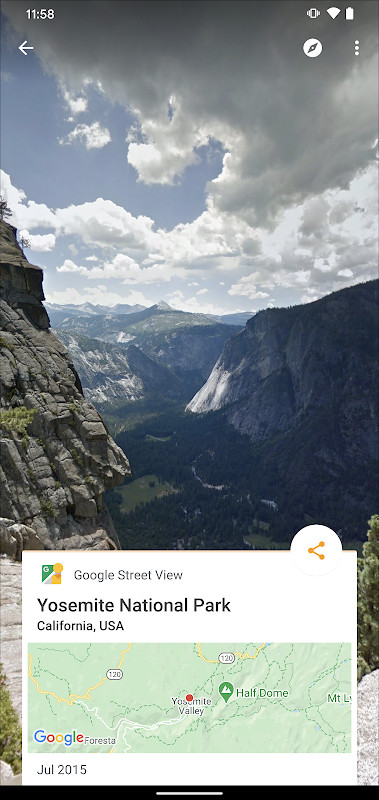
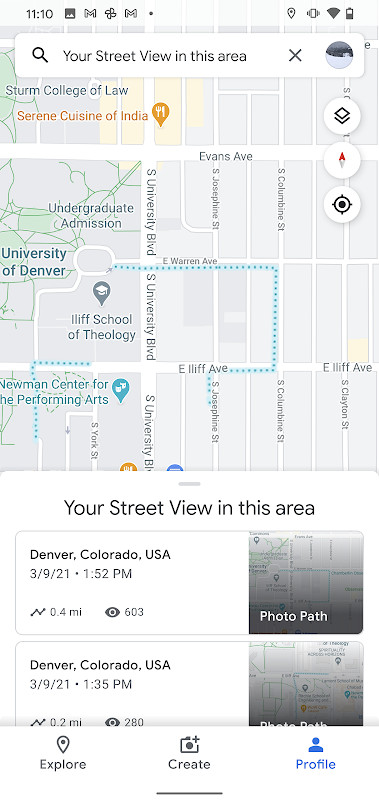
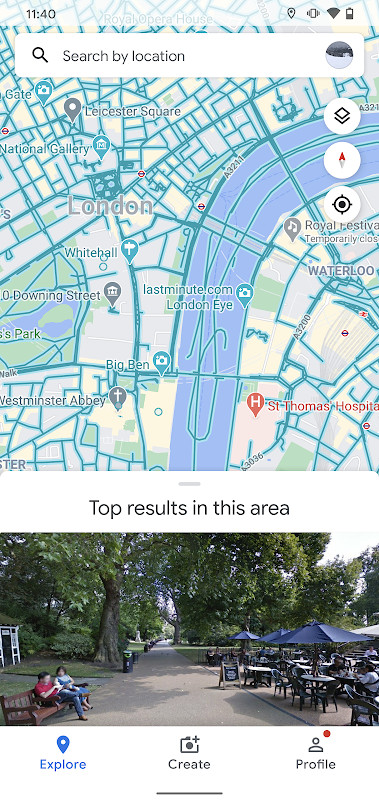
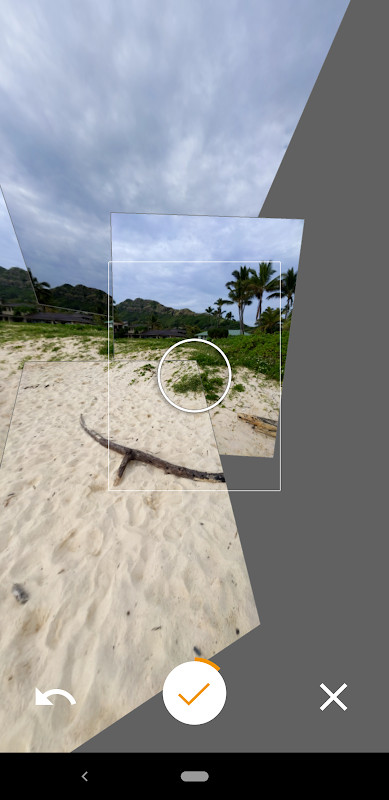
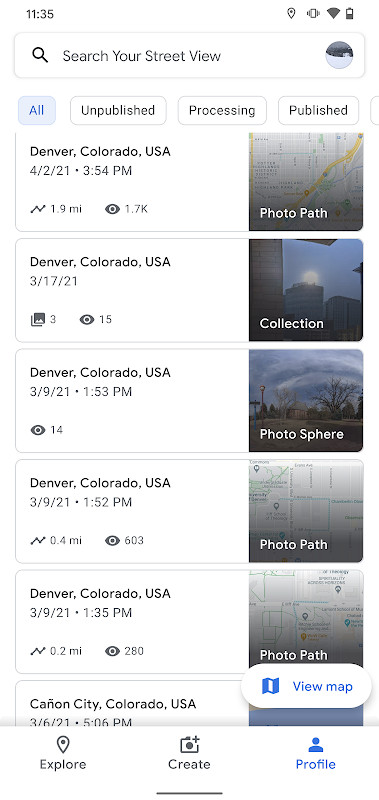
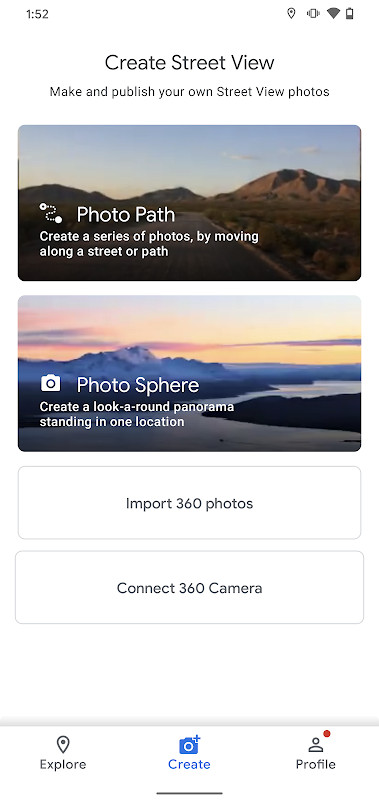
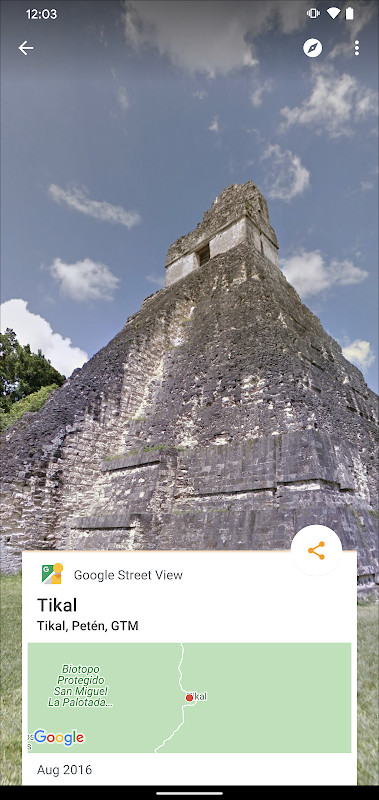
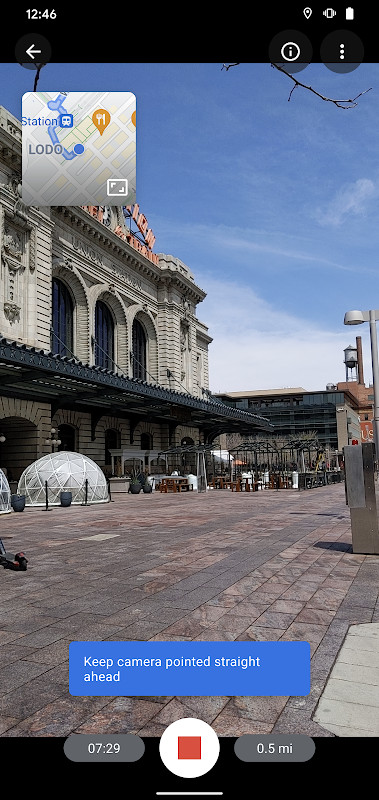
Google Street View is a travel and mapping application by Google Inc. that lets you explore immersive 360-degree imagery of locations worldwide and also create and publish your own visual contributions. The app serves as a companion to the broader Google Maps ecosystem, offering a dedicated space for viewing and sharing Street View content. You can virtually visit landmarks, natural wonders, museums, arenas, restaurants, and small businesses across nearly every country, all from your Android device. Beyond passive exploration, the app empowers you to add new imagery to the global Street View database, turning your phone into a tool for documenting the world around you.
The core experience revolves around three capture modes. Photo Spheres let you stitch together 360-degree panoramas, Photo Paths create a connected series of images along a street or trail (requiring an ARCore-compatible device), and the Street View mode supports connected panoramas from dedicated 360-degree cameras. After recording, you can publish your work for everyone to see, effectively contributing to a living, user-generated map of the planet. The interface is designed to guide you through creating, organizing, and publishing your imagery, with a clear focus on community-driven content.
Version 2.0.0.484371618, released on March 6, 2025, introduces the ability to create and publish a Photo Path as you travel, alongside a refreshed user interface that simplifies content management. This update also adds a Street View badge to track your contribution progress, along with several bug fixes and general improvements. The app is free to use, carries a content rating of Everyone, and has been installed over one billion times, reflecting its widespread adoption as a tool for both virtual exploration and real-world documentation.
Key features
- Capture and publish Photo Spheres (360° panoramas) using your phone's camera
- Create Photo Paths by recording a connected series of photos along a street or trail
- Support for connected panoramas from 360-degree cameras via the Street View mode
- Explore immersive imagery of landmarks, natural wonders, museums, restaurants, and small businesses worldwide
- Fresh user interface in version 2.0.0.484371618 for easier creation, organization, and publishing
- Track your contribution progress with a dedicated Street View badge
- Publish your imagery for public viewing, contributing to the global Street View map
How to install
- Tap the download button on this page to get the APK file, which is about 42 MB in size.
- When Android prompts you, allow your browser or file manager to install apps by enabling the 'Install unknown apps' setting for that app.
- Open the downloaded APK file from your notifications or file manager.
- Tap Install and wait for the process to complete; the app requires Android 7.0 (Nougat) or newer.
- Once installed, tap Open to launch Google Street View and begin exploring or creating imagery.
Pros
- Free to use with no in-app purchase requirements
- Allows users to contribute their own imagery to a global map
- Includes multiple capture modes for different types of visual content
- Refreshed UI in the latest version improves navigation and organization
- Lightweight at 42 MB, suitable for most devices
Cons
- Requires Android 7.0 or newer, excluding older devices
- Photo Paths feature requires an ARCore-compatible device, limiting its availability
- Requests numerous permissions, including fine location, camera, storage, and account access, which may raise privacy concerns
Latest changes · 2.0.0.484371618
Version 2.0.0.484371618 introduces the ability to create and publish a Photo Path while traveling along a street or trail. The interface has been refreshed to simplify creating, organizing, and publishing imagery to Street View. Users can now track their contribution progress through the Street View badge. The update also includes several bug fixes and other general improvements.
Version history
| Version | Size | Requires Android | Updated |
|---|---|---|---|
| 2.0.0.484371618 | 42 MB | 7.0 | Mar 6, 2025 |
This app is ideal for travel enthusiasts who want to virtually explore distant places, amateur photographers looking to contribute 360-degree imagery to a global platform, and professionals using 360-degree cameras to document streets, trails, or business interiors.
Before recording a Photo Path, ensure your device supports ARCore and grant location permissions only while using the app to minimize background data collection.
Permissions
FAQ
Is Google Street View free to download and use?
Yes, the app is free. You can download and install it at no cost, and the core features for exploring and publishing imagery do not require payment.
What Android version do I need to run Google Street View?
The app requires Android 7.0 or newer. It was previously noted to support Android 4.4, but the current version listed for download specifies Android 7.0 as the minimum operating system.
How big is the Google Street View APK file?
The file size is 42 MB. This is the size of the app package you will download and install on your device.
Do I need a Google account to use Google Street View?
While you can explore existing Street View imagery without an account, publishing your own Photo Spheres, Photo Paths, or Street View recordings requires you to sign in with a Google account. The app also requests permissions related to account management, such as GET_ACCOUNTS and MANAGE_ACCOUNTS, to support this.
What permissions does Google Street View ask for?
The app requests a range of permissions, including access to your location (coarse and fine), camera, network and Wi-Fi state, storage (to read and write media files), notifications, and nearby Wi-Fi devices. It also includes permissions for background services, boot completion, and vibration. These are used for capturing imagery, uploading content, and providing location-based features.
How do I update Google Street View to the latest version?
To update, simply download the newest version from this page and install it over your current installation. The latest available version is 2.0.0.484371618, released on March 6, 2025. Your data and settings are preserved during the update.
Google Street View offers a unique blend of exploration and creation, making it a valuable tool for both casual users and active contributors. While its extensive permission requests and hardware requirements for Photo Paths are worth noting, the app's free nature, global reach, and user-driven content model provide a compelling reason to install it for anyone interested in seeing or sharing the world.
Similar apps


Updated: Nov 4, 2026