Facemoji AI Emoji Keyboard for Android
Facemoji AI Emoji Keyboard is a free personalization keyboard from Nexileap for adding emojis, fonts, themes, and stickers to chats.
Facemoji AI Emoji Keyboard suits users who want expressive, customizable typing with emojis, fonts, themes, stickers, and AI-generated content. It is free to use, requires Android 6.0 or higher, and offers over 6000 emojis, 1500+ themes, and 2000+ stickers, with many features working without an account.
Screen gallery
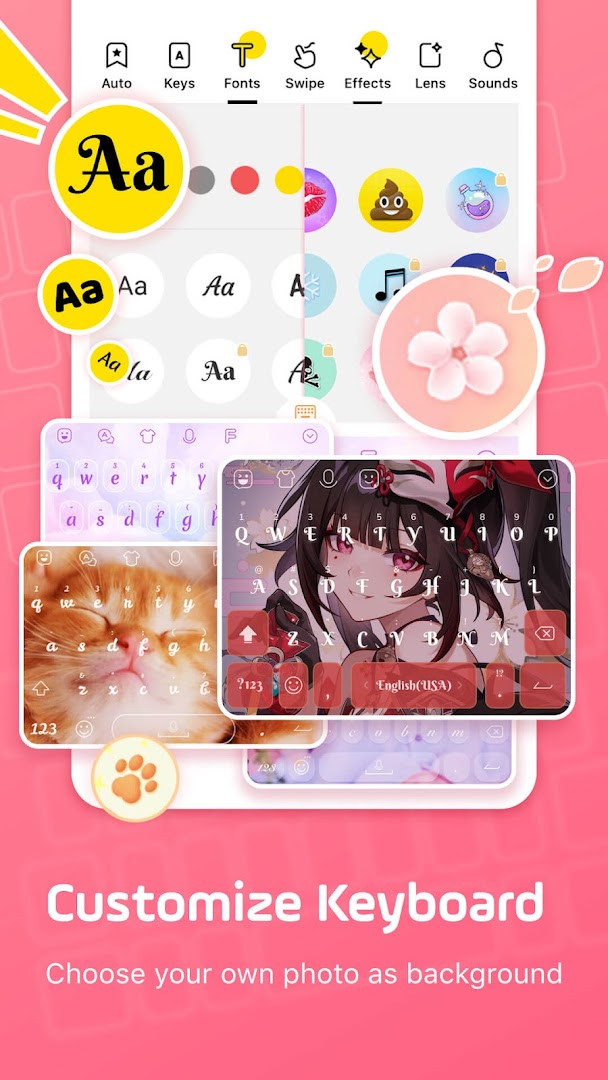
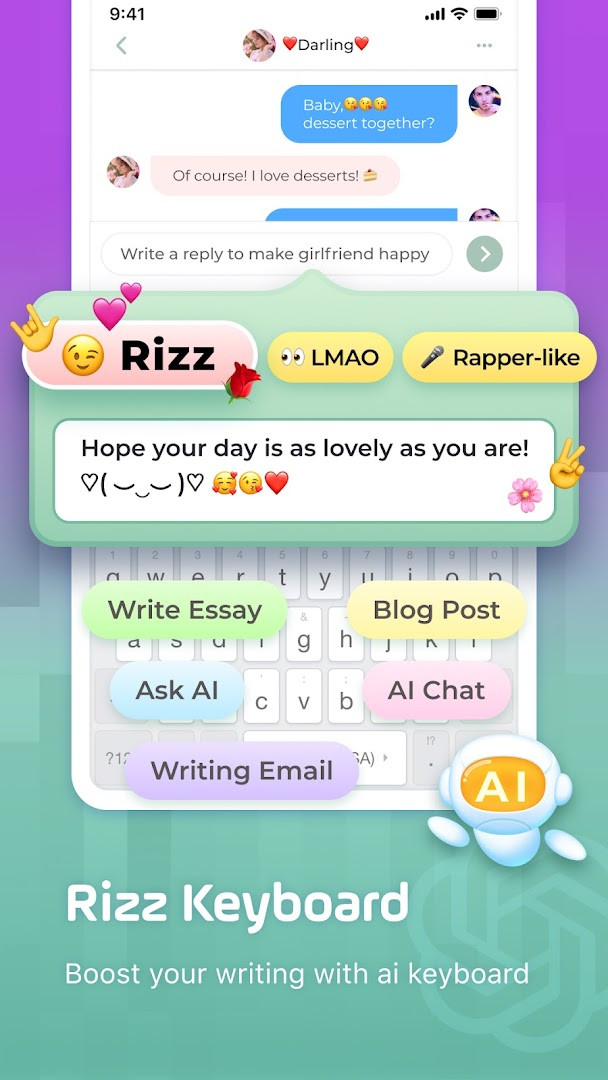
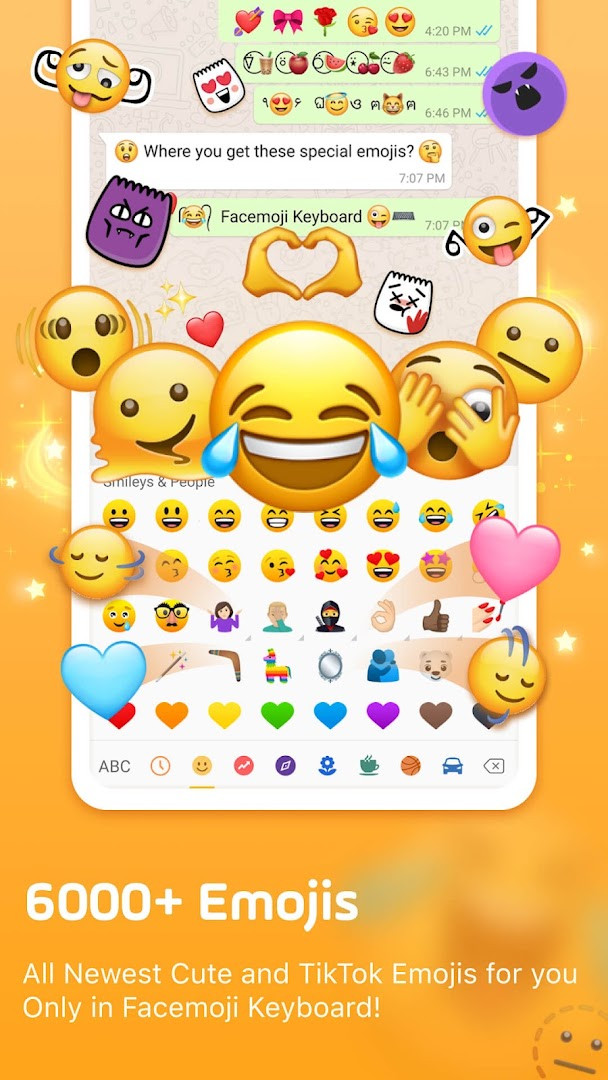
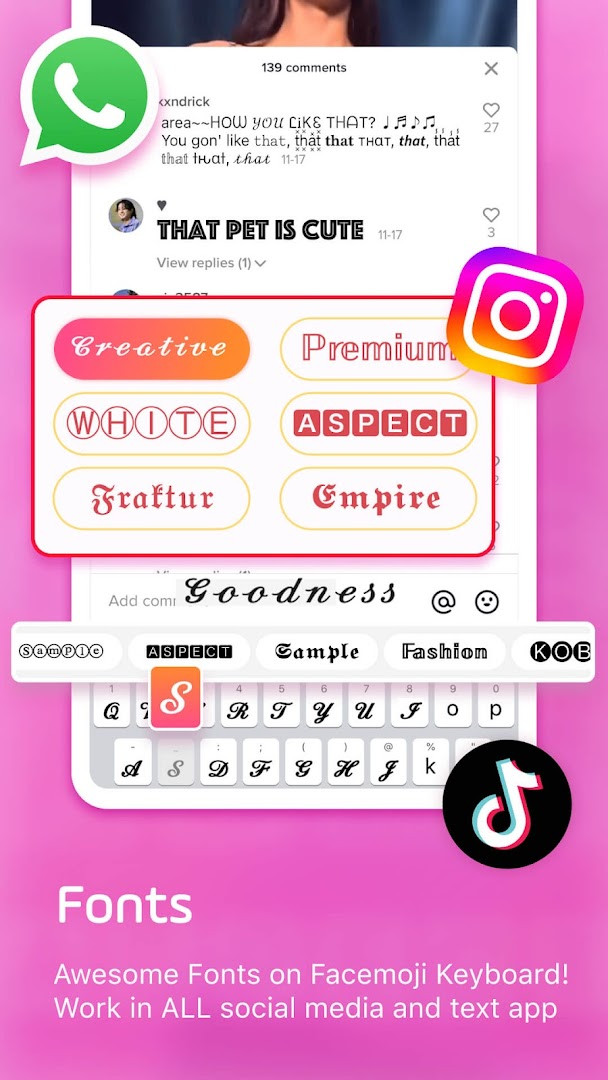
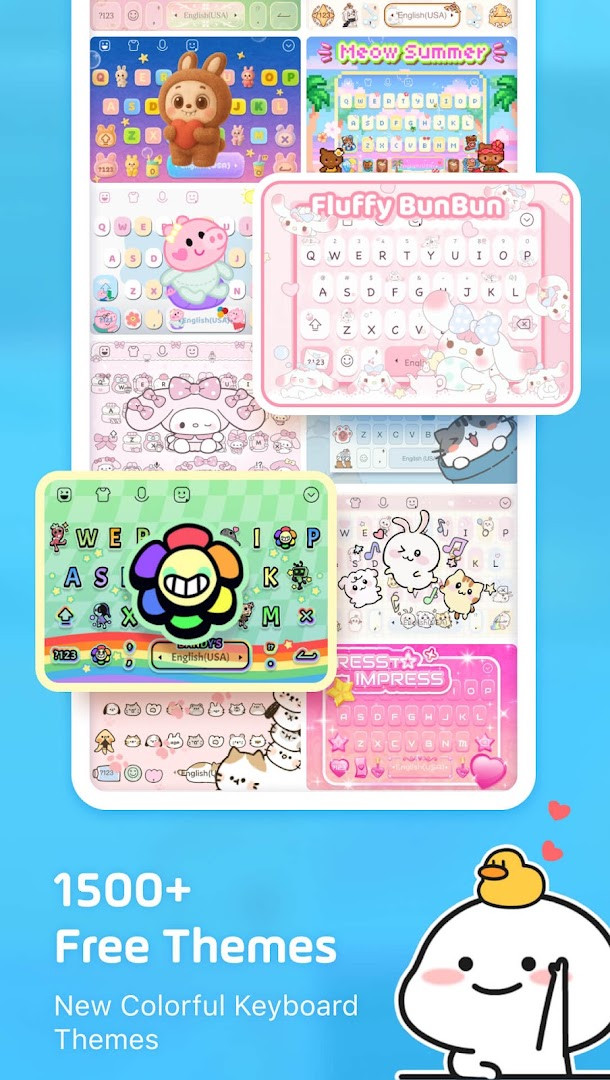
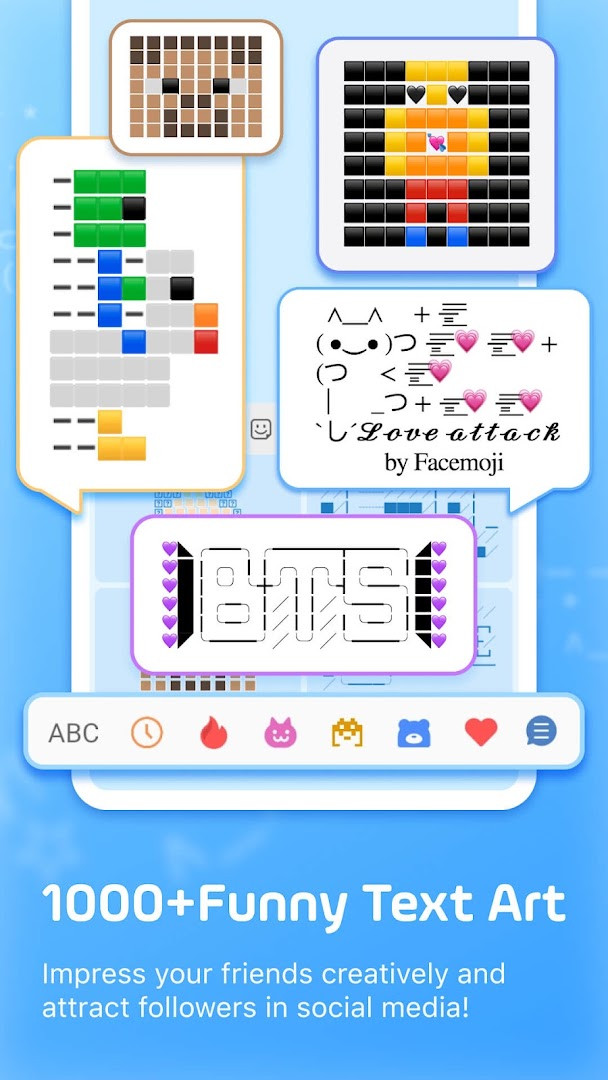
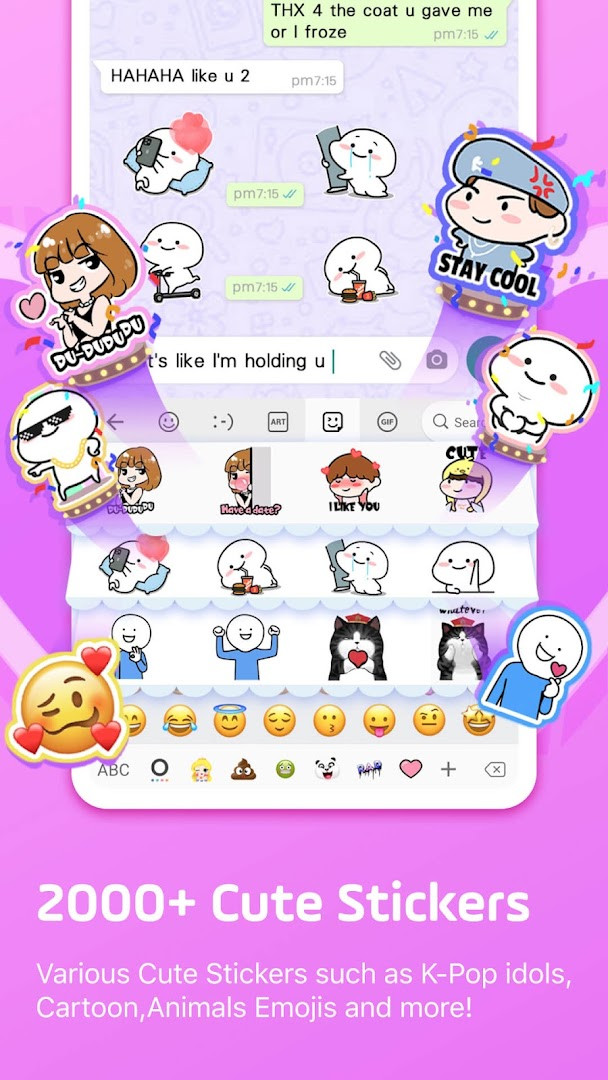
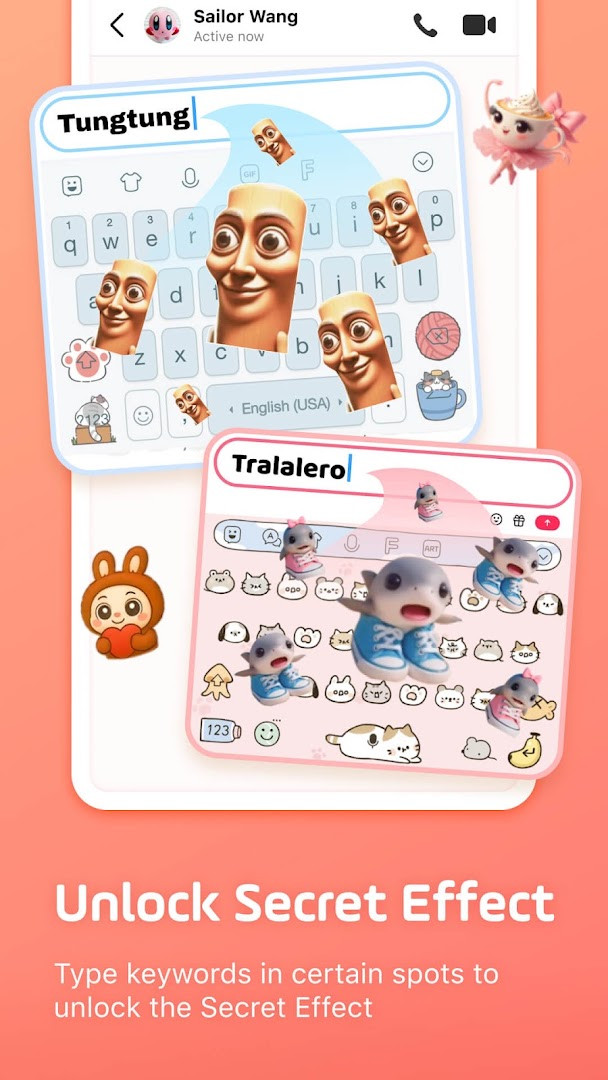
Facemoji AI Emoji Keyboard is a free personalization app by Nexileap that replaces your standard Android keyboard with a heavily customizable typing tool packed with emojis, stickers, fonts, themes, and AI-assisted features. It solves the problem of bland, generic messaging by giving you a single keyboard that handles everything from 6000+ emojis and GIFs to DIY keyboard wallpapers and AI-generated stickers, so you don't need to switch between multiple apps. The keyboard also aims to speed up daily conversations with smart suggestions, an auto-paste clipboard, and game-specific shortcuts, making it a practical upgrade for people who chat frequently across WhatsApp, TikTok, Instagram, and similar platforms. With over 1500 free themes, 100+ fonts, and a built-in translator supporting 100+ languages, it tries to cover both fun and function in one package. However, the app includes ads and in-app purchases, and it requests access to storage, microphone, and Wi-Fi information, so users should weigh those trade-offs. Overall, it positions itself as an all-in-one typing companion for expressive, fast, and personalized communication on Android devices running version 6.0 or newer.
Key features
- Over 6000 emojis, emoticons, symbols, and GIFs, including trending 2025 emojis and TikTok-specific hidden emojis
- Custom emoji maker and Genmoji-style generator to create look-alike stickers based on your face or custom characters
- 1500+ free keyboard themes with DIY wallpaper, button colors, fonts, tapping effects, and tapping sounds like piano or dog barking
- 100+ cool fonts and 1000+ unicode symbols plus nickname templates for bios and posts
- Smart typing aids: emoji and sticker predictions, swipe gesture typing, autocorrect, and a paste keyboard with clipboard for one-click sending
- AI keyboard features and Magic Avatar/Face Emoji creation, plus DIY avatar stickers generated from your typed phrases
- Game keyboard mode for Among Us, Roblox, Minecraft, and others with quick messages and player color/location shortcuts
- K-Pop content surprises when typing group names like BTS or Blackpink, plus 2000+ cute stickers compatible with WhatsApp and Messenger
- Bilingual support for 100+ languages with a built-in translator
- 2000+ stickers and Tenor GIF integration for quick sharing in chats
How to install
- Tap the download button on this page to get the APK file for Facemoji AI Emoji Keyboard (version 3.7.0).
- When Android asks, allow your browser or file manager to install apps by enabling the 'Install unknown apps' setting for that app.
- Open the downloaded APK file from your notifications or Downloads folder.
- Tap Install and wait for the installation to complete; the app requires Android 6.0 or newer.
- Open the app and follow the setup prompts to enable the keyboard in your system settings and select it as your default input method.
Pros
- Vast library of emojis, stickers, and GIFs for expressive chats
- Deep customization: themes, fonts, sounds, and DIY keyboard design
- AI-powered features like Magic Avatar and sticker generation add novelty
- Game-specific keyboard mode speeds up play in popular titles
- Built-in translator and 100+ language support for bilingual users
- Regular updates with new emojis and themes, as seen in recent versions
Cons
- Contains ads, which can interrupt the typing experience
- In-app purchases are present for premium content or features
- Requests access to storage, microphone, and Wi-Fi information, which may raise privacy concerns
- Large feature set may feel overwhelming for users who just want a simple keyboard
Latest changes · 3.7.0
Version 3.7.0 introduces Facemoji AI, letting you create Magic Avatars and Face Emojis right from the keyboard. Ask or type anything, and the AI generates personalized responses and visuals to keep your chats lively. It's a playful new way to express yourself with custom emoji and stickers.
Version history
| Version | Size | Requires Android | Updated |
|---|---|---|---|
| 3.7.0 | — | 6.0 | Nov 10, 2026 |
| 3.6.8.3 | — | 6.0 | Sep 23, 2026 |
| 1.5 | 15 MB | 4.0.3 | Jun 21, 2026 |
Facemoji AI Emoji Keyboard is best suited for social media enthusiasts and frequent chatters who want to stand out in conversations on TikTok, Instagram, WhatsApp, and similar platforms. It appeals to younger users, K-Pop fans, and gamers who enjoy customizing every aspect of their keyboard, from themes and fonts to tapping sounds and AI-generated stickers. If you often type in multiple languages, the translator and bilingual support add practical value. However, casual users who prefer a minimal, ad-free typing experience might find the abundance of features and permissions unnecessary. It's also a good fit for those who like to create personalized emojis or stickers of themselves and friends, as the DIY tools are a central selling point.
To get the most out of Facemoji, spend a few minutes creating a custom keyboard wallpaper and setting up your favorite tapping sounds, as these personal touches make daily typing more enjoyable. Explore the game keyboard mode if you play Among Us or Roblox, and remember that typing certain K-Pop group names can unlock surprise content. Since the app includes ads, you may want to manage your notification and permission settings carefully to limit interruptions.
Permissions
FAQ
What is the Genmoji-style Emoji Maker and how does it work?
The Genmoji-style Emoji Maker lets you design personalized emojis and stickers. You can create look-alike stickers based on your face, similar to Memojis, or make custom emoji characters and animated GIFs to share on apps like TikTok, WhatsApp, and Facebook. It is described as offering even more customization than Genmoji.
How many emojis, themes, and fonts does Facemoji include?
Facemoji offers over 6000 emojis, more than 1500 free keyboard themes, and over 100 cool fonts. It also includes 1000+ unicode symbols and nickname templates, plus 2000+ cute stickers compatible with WhatsApp, Messenger, and Telegram.
Can I customize the keyboard's appearance and sounds?
Yes, you can create your own keyboard wallpaper using your favorite photo, and DIY the keyboard by customizing buttons, colors, fonts, tapping effects (like BTS lightsticks), and tapping sounds (piano, guitar, dog barking). You can share your custom keyboard so friends can use the same design.
Does Facemoji have special keyboards for games and K-Pop content?
Yes, there is a game keyboard for Among Us that offers one-tap quick messages, player color, and location, and it also supports Roblox, Free Fire, PUBG, and Mobile Legends. Additionally, typing K-Pop group names like BTS or Blackpink reveals exclusive emojis and stickers.
What privacy protections does Facemoji state?
Facemoji states that it will never collect any personal information without your explicit permission. It is rated Teen, includes ads and in-app purchases, and requests permissions for Photos/Media/Files, Storage, Microphone, and Wi-Fi connection information.
Facemoji AI Emoji Keyboard delivers an impressive range of customization and creative tools for users who want a fun, expressive typing experience. It's a solid choice for social and gaming contexts, though you should be comfortable with ads, in-app purchases, and its broad permission requests.
Similar apps
 Gboard - the Google KeyboardGoogle LLC · ★ 4.5 · Tools · 9.4 MB
 PinterestPinterest · ★ 4.2 · Lifestyle
 Microsoft SwiftKey AI KeyboardSwiftKey · ★ 4.3 · Personalization · v9.13.19.3
 HiOS Launcher - FastTranssion Holdings · ★ 4.0 · Personalization · 70 MB
 Zedge™ Wallpapers & RingtonesZedge · ★ 4.7 · Personalization · 24 MB
 Launcher OS™Apps Genz · ★ 4.4 · Personalization · v7.0.1
Updated: Nov 15, 2026