Google Play Games for Android
Google Play Games is an entertainment app from Google LLC for discovering games, saving progress, and earning achievements.
Google Play Games helps Android users find new games and track achievements, with cloud saves so progress follows across devices. The free app runs on Android 5.0 and up, takes about 14 MB, and offers offline play for built-in titles like Solitaire and PAC-MAN. Instant play lets you start many full games without installing them first.
Screen gallery
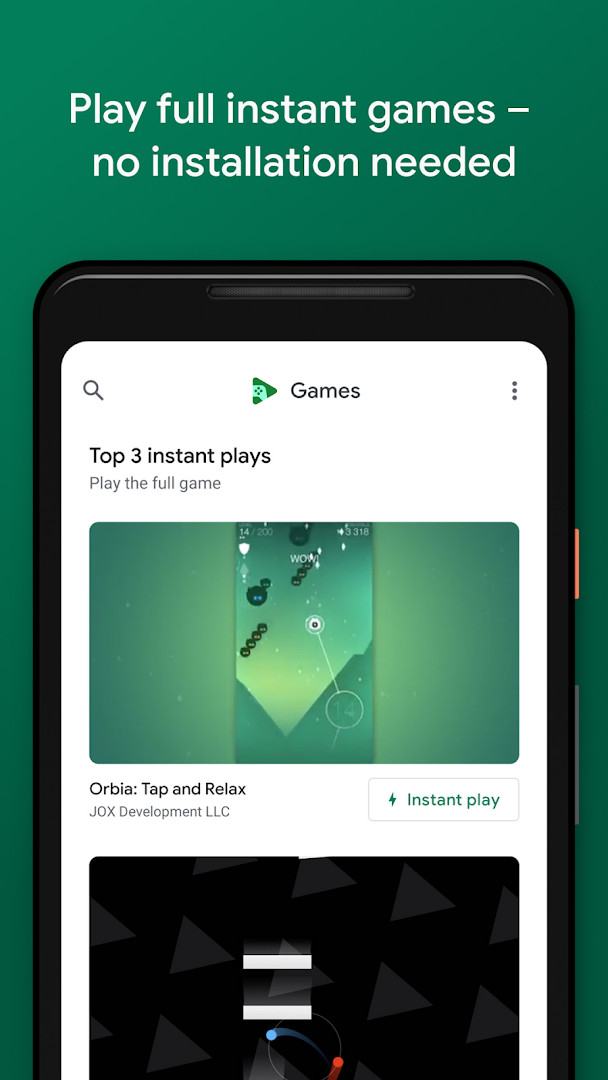
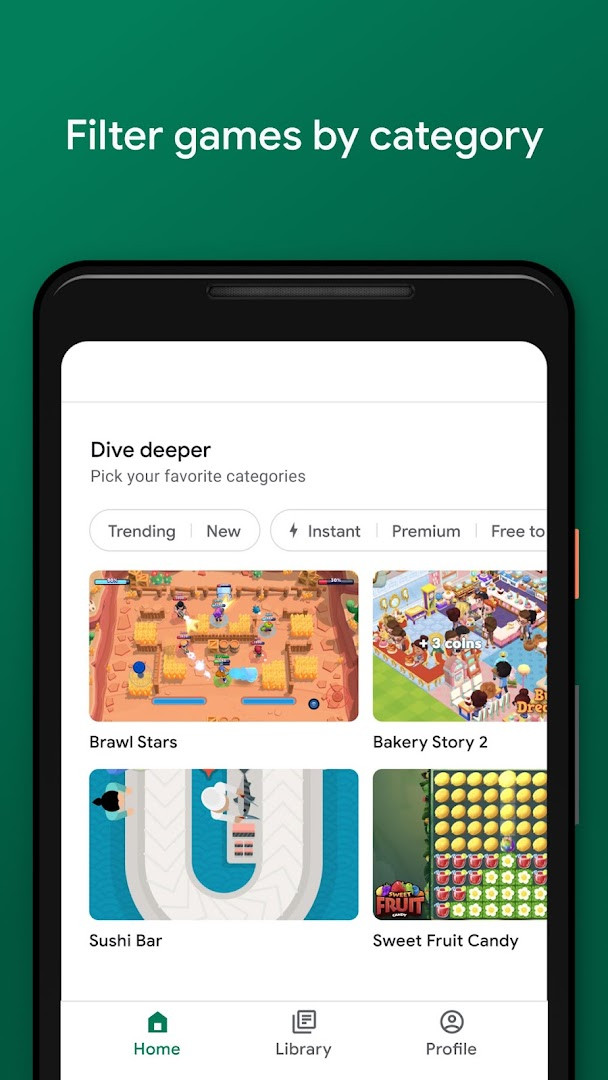
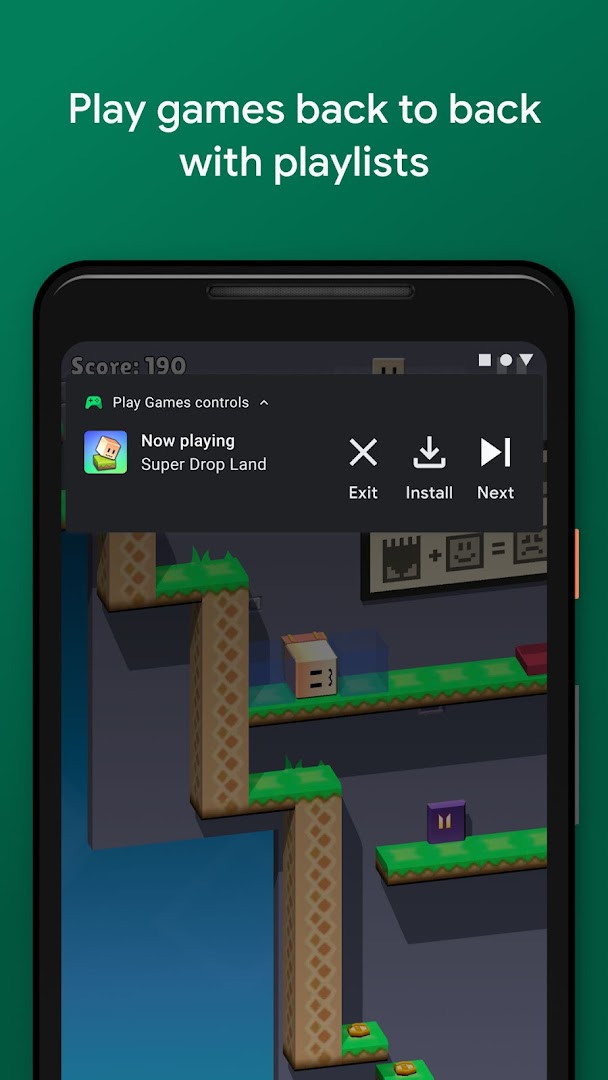
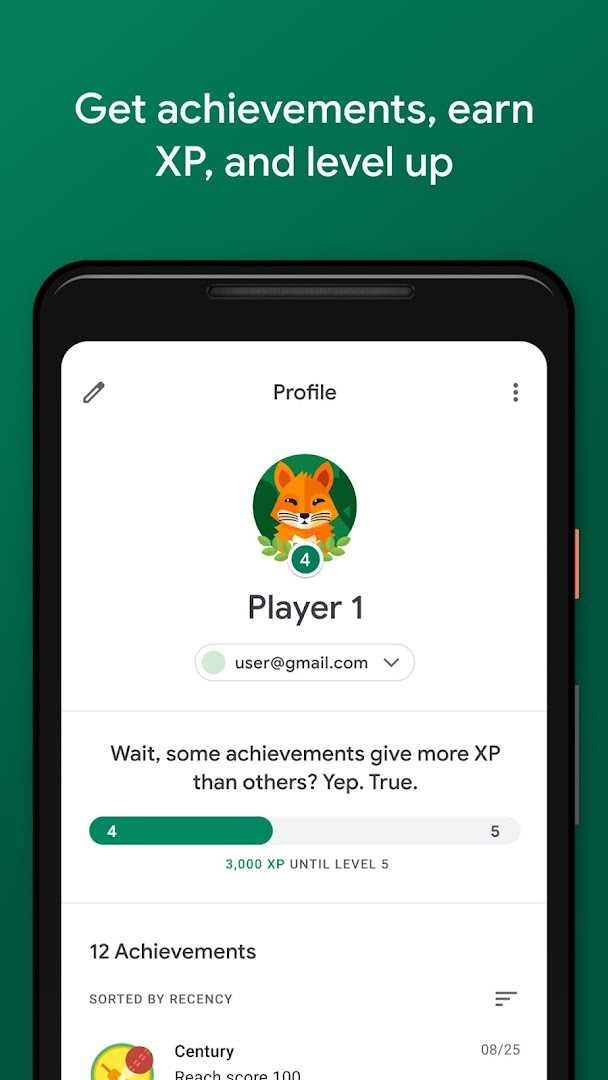
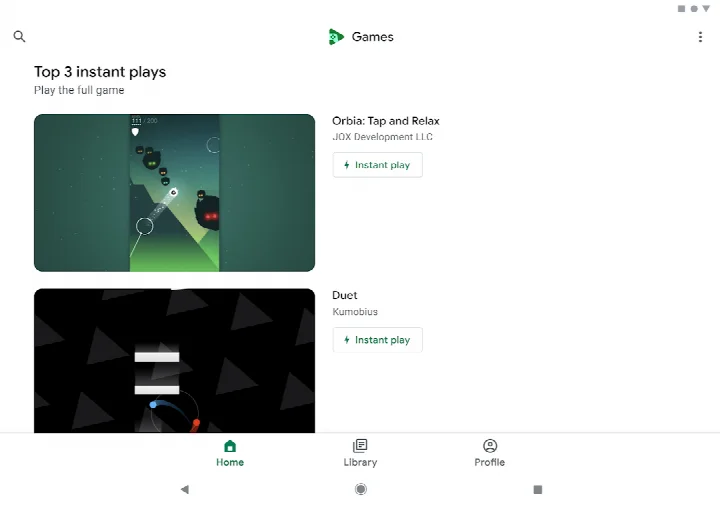
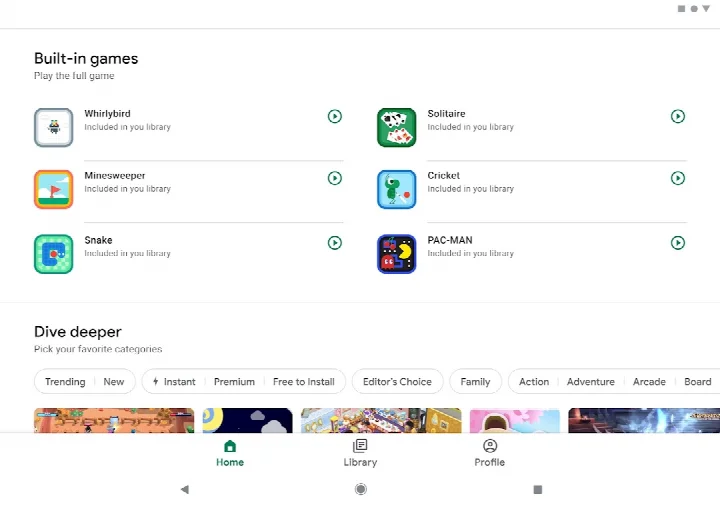
Google Play Games is an entertainment application by Google LLC that serves as a hub for discovering, launching, and managing mobile games. It centralizes your game library, offers instant play for select titles without installation, and synchronizes progress and achievements across devices. The app is designed for Android users who want a streamlined way to find new games, track their gaming milestones, and continue sessions from any compatible device.
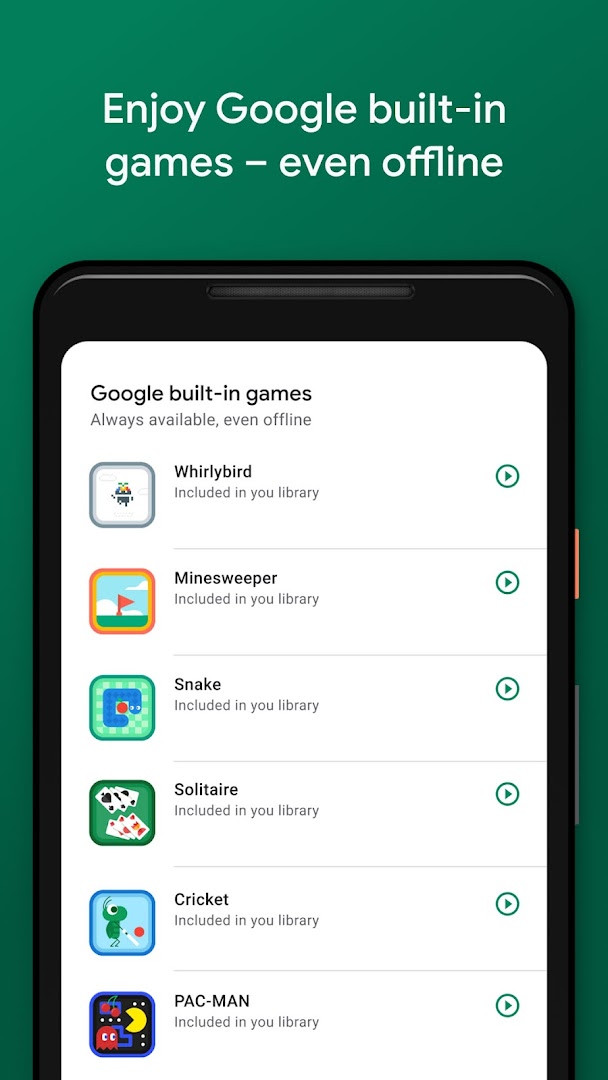
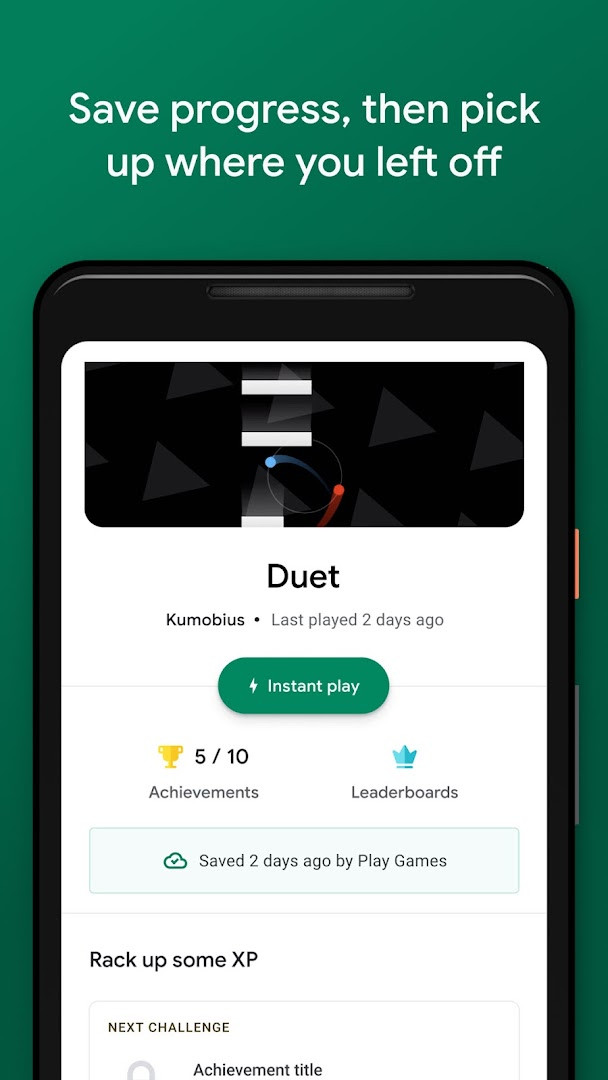
The application provides a catalog of games spanning various genres, from action to puzzles, and includes several built-in titles such as Solitaire, Minesweeper, Snake, PAC-MAN, Cricket, and Whirlybird that can be played even without an internet connection. A key functionality is the automatic cloud saving of progress, indicated by a notification when a game is synced, allowing you to resume where you left off on another device. Additionally, the app features a gamer profile system where you can create a custom ID, unlock achievements, earn experience points, and level up, as well as a gameplay recording tool for capturing and sharing your best moments.
With over five billion installs and a rating of 3.91 from more than thirteen million users, the app has broad reach. It is free to use, contains advertisements, and is rated Teen. The current version is 5.14.7825, released on 2026-08-21, and requires Android 5.0 or higher. The app requests permissions for Identity, Contacts, and Microphone, which are used for account-related features, social interactions, and voice input or recording respectively. It is suitable for casual and dedicated gamers alike who appreciate convenience and cross-device continuity.
Key features
- Instant play: play full games without installation by tapping the 'Instant play' button.
- Built-in Google games: enjoy Solitaire, Minesweeper, Snake, PAC-MAN, Cricket, and Whirlybird even offline.
- Cloud progress saving: your progress is automatically saved when you see 'Progress saved by Play Games.'
- Gamer profile: create a custom gamer ID, unlock achievements, earn XP, and level up.
- Gameplay recording: easily record and share your best gameplay moments.
- Automatic sign-in: pick your account and go, with the option to change it anytime in settings.
How to install
- Tap the download button on this page to get the APK file (14 MB).
- When Android prompts, allow your browser or file manager to install apps by enabling the 'Install unknown apps' setting.
- Open the downloaded APK file from your notifications or file manager.
- Tap Install and wait for the installation to complete.
- Open the app from your app drawer or home screen.
- Ensure your device runs Android 5.0 or higher for compatibility.
Pros
- No installation needed for instant play titles, saving storage space.
- Offline access to several built-in games.
- Automatic cloud sync of progress across devices.
- Free with no in-app purchases.
- Includes gameplay recording and sharing features.
- Supports achievement and XP systems for progression.
Cons
- Contains advertisements.
- Requests permissions for Identity, Contacts, and Microphone, which may raise privacy concerns.
- Some features, like instant play, depend on game availability and network conditions.
- Content rating of Teen may not be suitable for younger children.
Latest changes
The latest update of Google Play Games, released on May 7, 2026, introduces automatic sign-in to games, letting you pick your account and jump right in—though you can still change accounts anytime in settings. Additionally, more built-in mini games are on the way, giving you fresh options to enjoy even when you're offline.
Version history
| Version | Size | Requires Android | Updated |
|---|---|---|---|
| 5.14.7825 (224833494.224833494-000700) | 16 MB | 4.0 | Aug 21, 2026 |
| 1.1.04 (794842-30) | 2 MB | — | Nov 4, 2025 |
| 2024.03.51732 (646593252.646593252-020700) | 14 MB | 5.0 | Sep 22, 2024 |
| 2024.03.50149 (625366451.625366451-000800) | 21 MB | 4.4 | Jun 2, 2024 |
| 2.1.13 (1518121-106) | 4.1 MB | 4.2 | Mar 7, 2015 |
| 2.0.13 (1404932-038) | 3.3 MB | — | Sep 15, 2014 |
This app is for Android users who enjoy playing mobile games and want a single place to discover new titles, track achievements, and keep progress synced across devices. It appeals to both casual players looking for quick, no-install games and more dedicated gamers who value profiles, XP, and recording features.
To get the most out of the app, enable automatic sign-in for seamless access to your saved progress. For offline play, download the built-in games beforehand. Adjust your account and privacy settings in the app's settings menu if you prefer not to share contacts or microphone access.
Permissions
FAQ
How do I install the Google Play Games APK on my Android device?
To install the APK, download the file and open it on your Android device. Your device must run Android 5.0 or higher. You may need to allow installation from unknown sources in your security settings before the installation can proceed.
What is the current version of Google Play Games?
The most recent version is 5.14.7825 (224833494.224833494-000700), released on 2026-08-21. Earlier versions include 1.1.04 and 2024.03.51732.
Does Google Play Games contain ads or in-app purchases?
The app itself is free to download and use, and it does not offer in-app purchases. However, it does display ads. Some games you play through the app may have their own separate purchases.
Can I use Google Play Games offline?
Yes, certain built-in games like Solitaire, Minesweeper, Snake, PAC-MAN, Cricket, and Whirlybird can be played even when you are offline. Other features, such as cloud saving, require an internet connection.
What alternatives exist in the same entertainment category?
There are several other gaming apps available that offer similar features, such as playing games, tracking progress, and earning achievements. You can explore other gaming platforms or game collections to find one that fits your preferences.
Does Google Play Games save my progress?
Yes, your progress is automatically saved to the cloud when you see the message 'Progress saved by Play Games.' This allows you to continue where you left off from any device.
What are the key features of Google Play Games?
Key features include instant play without installation, built-in offline games, automatic cloud progress saving, a customizable gamer profile with achievements and XP, and the ability to record and share gameplay moments.
Google Play Games offers a convenient, feature-rich way to manage your mobile gaming experience, with instant play, cloud saves, and a robust profile system. While it includes ads and some permissions, its broad device support and free access make it a practical choice for many Android gamers.
Similar apps

More from this developer
 Gboard - the Google KeyboardGoogle LLC · ★ 4.5 · Tools · 9.4 MB
 Google CalendarGoogle LLC · ★ 4.6 · Productivity · 33 MB
 Google TVGoogle LLC · ★ 3.9 · Entertainment · 40 MB
 GoogleGoogle LLC · ★ 4.0 · Tools · 156 MB
 Google DriveGoogle LLC · ★ 4.3 · Productivity · 124 MB
 YouTubeGoogle LLC · ★ 3.8 · Entertainment · 199 MB
Updated: Nov 3, 2026