WizeStream: Privacy-friendly streaming client
WizeStream is a NewPipe-based streaming client by WizDom13 that plays videos and audio from multiple services without a platform account.
WizeStream is free software licensed under GPL-3.0-or-later and requires Android 6.0 or newer, with a download size of 25 MB. Its local-first design includes subscriptions without a platform account, background and popup playback, and secure peer-to-peer synchronization between trusted devices.
Screen gallery
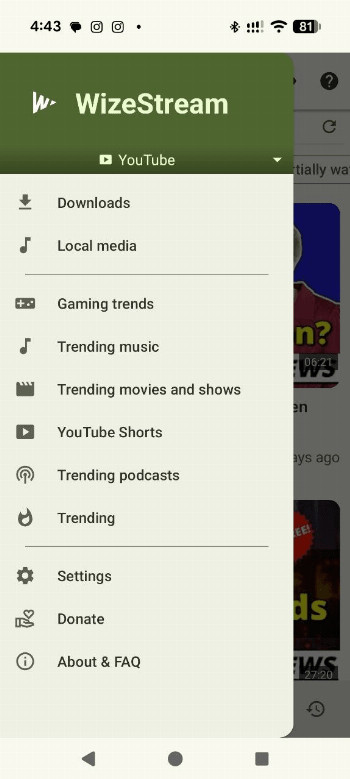
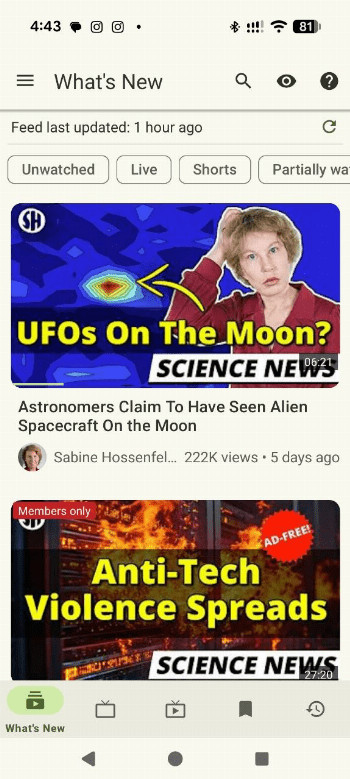
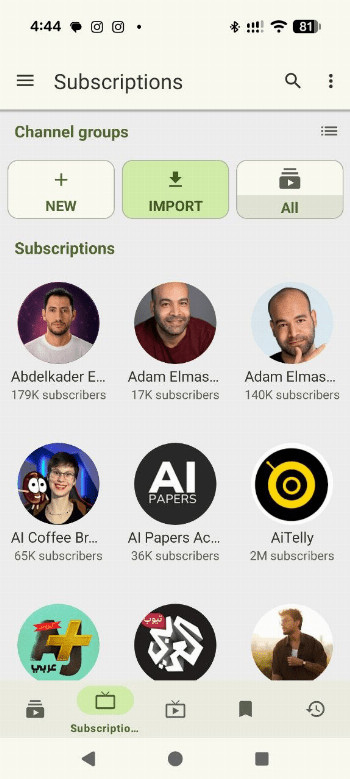
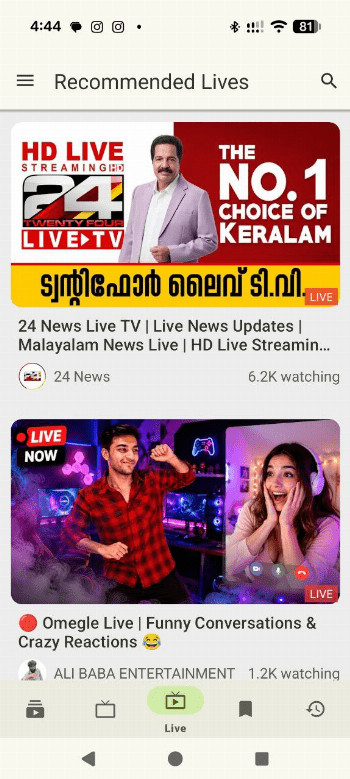
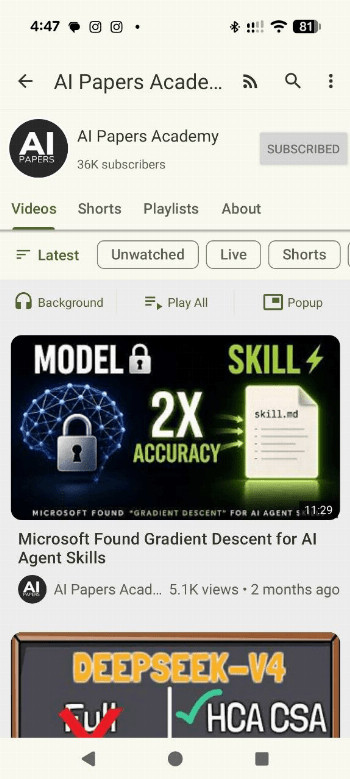
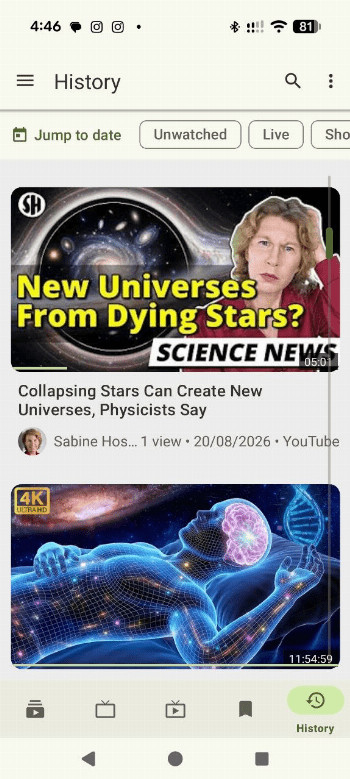
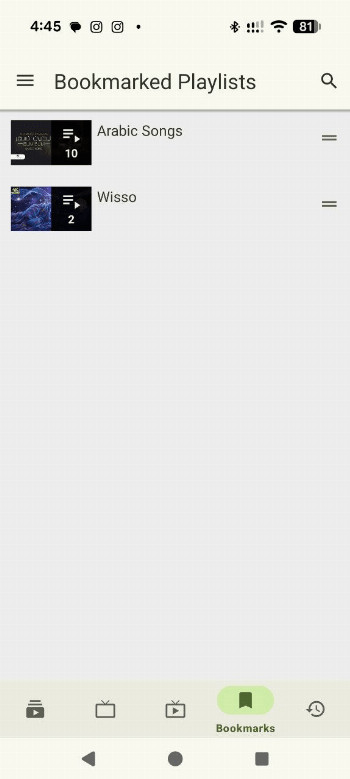

WizeStream is a privacy-friendly, open-source streaming client by WizDom13 that plays videos, audio, and live streams from multiple online services. It is an independent project built on the foundations of NewPipe, so you can browse and enjoy content without ever creating a platform account. The interface follows a modern, Material 3-inspired design, and the app keeps your data local-first, meaning subscriptions, playlists, history, and progress are stored on your device rather than in a remote profile.
The client brings several services together under one roof, including YouTube, YouTube Music, Bilibili, Niconico, PeerTube, Bandcamp, SoundCloud, and media.ccc.de. Watching is just the beginning: audio-only Listen mode adds 15 visualizers, while background and popup playback let you keep the show going while doing something else. Android Auto support covers browsing, voice search, controls, and resuming what you were watching, and local playlists plus per-service subscriptions replace the need for a login. Downloads are available for video, audio, and captions where each service allows, including bulk-downloading entire playlists.
For those following the release cadence, the current version, 1.52.2, is dated November 25, 2026 and maintains the developer's quick update schedule, with both the app and its integrated extractor being kept in sync. The project is distributed as free software under the GNU General Public License version 3 or later and preserves the upstream NewPipe credits and license notices.
Key features
- Watch videos and live streams from YouTube, YouTube Music, Bilibili, Niconico, PeerTube, Bandcamp, SoundCloud, and media.ccc.de
- Audio-only Listen mode with 15 built-in visualizers
- Background and popup playback for multitasking
- Android Auto support for browsing, voice search, controls, and playback resumption
- Local playlists plus subscriptions that are stored separately for each service
- What's New feeds and channel groups with independent refresh states for each service
- Download video, audio, and captions where available, including bulk downloads of playlists and queues
- SponsorBlock integration, optional DeArrow titles and thumbnails, and YouTube dislike counts
- FCast and Chromecast-compatible TV casting on Android 8 and newer
- Secure peer-to-peer synchronization of subscriptions, groups, playlists, history, progress, settings, playback profiles, and download metadata between trusted devices on the same network
How to install
- Tap the download button on this page to get the 25 MB APK file.
- If Android asks, allow your browser or file manager to install apps by enabling the "Install unknown apps" setting.
- Open the downloaded APK file from your notifications or Downloads folder.
- Tap Install and wait for the process to finish; Android 6.0 or newer is required.
- Open the app from your list of installed apps and grant any optional permissions when prompted.
Pros
- No platform account is required for any service
- Several video and music services are accessible from a single app
- Background, popup, and audio-only playback modes offer flexibility
- Android Auto plus Chromecast-style casting covers many listening and viewing scenarios
- Data stays local-first, with import/export and secure device-to-device syncing
- Free, open-source software distributed under the GPL-3.0-or-later license
Cons
- Not affiliated with, sponsored by, or endorsed by the official NewPipe project
- An optional camera permission is used solely for QR-code pairing during local synchronization
- Some features, such as downloads or comments, depend on what each individual service supports
Version history
| Version | Size | Requires Android | Updated |
|---|---|---|---|
| 1.52.2 | 25 MB | 6.0 | Nov 25, 2026 |
| 1.51.0 | 22 MB | 6.0 | Nov 24, 2026 |
| 1.50.0 | 22 MB | 6.0 | Nov 22, 2026 |
| 1.48.0 | 22 MB | 6.0 | Nov 21, 2026 |
| 1.47.0 | 22 MB | 6.0 | Nov 19, 2026 |
| 1.46.0 | 22 MB | 6.0 | Nov 18, 2026 |
| 1.44.1 | 22 MB | 6.0 | Nov 17, 2026 |
| 1.44.0 | 22 MB | 6.0 | Nov 16, 2026 |
| 1.43.0 | 22 MB | 6.0 | Nov 15, 2026 |
| 1.41.0 | 22 MB | 6.0 | Nov 12, 2026 |
WizeStream suits privacy-conscious viewers who prefer not to log in, people who follow creators across several video platforms, and users who often listen to audio or podcasts in the background while doing other tasks.
If you use more than one device, try the QR-code pairing option to sync your subscriptions, playlists, and playback progress securely over your local network; this avoids reconfiguring everything from scratch.
FAQ
How do I install the WizeStream APK on Android?
The app requires Android 6.0 or higher and the APK is about 25 MB. After downloading it from the download button, allow installation from unknown sources on your device, open the APK, and confirm the install. Its separate application ID also lets it run side by side with official NewPipe.
What is the current version of WizeStream?
The current version is 1.52.2, updated on 2026-11-25. It was initially released on 2026-11-22 as part of a series of recent updates.
Does WizeStream have ads or in-app purchases?
WizeStream is listed as free and is distributed under the GNU General Public License version 3 or later. No ads or paid purchase options are mentioned for the app.
Can I use WizeStream offline?
Yes, in a practical sense. You can download video, audio, and captions where a service makes them available, and you can bulk-download complete playlists and play queues. Generated M4A, MP4, and Opus downloads include embedded metadata for easy local use.
Are there alternatives in the same category?
Several other privacy-focused streaming clients exist for Android. WizeStream differentiates itself by supporting multiple services, audio-only listening, background and popup playback, Android Auto integration, and secure peer-to-peer synchronization across trusted devices.
Does WizeStream collect or require personal data?
No platform account is required to use it. Subscriptions are stored locally and kept separate per service. The camera permission is requested only when you open the QR code scanner for local device pairing, and the app does not capture, store, or upload camera images.
What permissions does WizeStream need for storage?
On Android 10 and newer it uses the system Storage Access Framework. On Android 6–9 it can optionally use legacy storage instead, mainly for reading existing files and saving downloads and backups; some Fire TV devices use this option as well because of a platform issue.
WizeStream is a polished and capable streaming client that combines flexible playback with strong privacy practices. Setting it up takes a few moments and some features reward deeper exploration, but the regular updates and broad service support make it a solid choice for Android users who want an account-free way to watch and listen.
Similar apps
 Google TVGoogle LLC · ★ 3.9 · Entertainment · 40 MB
 YouTubeGoogle LLC · ★ 3.8 · Entertainment · 156 MB
 YouTube MusicGoogle LLC · ★ 4.4 · Entertainment · 74 MB
 Google Play GamesGoogle LLC · ★ 3.9 · Entertainment · 14 MB
 MX PlayerAmazon Mobile LLC · ★ 4.2 · Entertainment · v3.5.3
 NetflixNetflix, Inc. · ★ 4.8 · Entertainment · 63 MB
 Spotify: Music and PodcastsSpotify AB · ★ 4.4 · Entertainment · 4.3 MB
Updated: Nov 26, 2026