AI Gallery: Photography App
AI Gallery is a photography app by Transsion Holdings that organizes, edits, and compresses photos with a fast, ad-free experience.
AI Gallery is a free photography tool from Transsion Holdings that combines album organization, photo editing, puzzle templates, and cleanup of blurry or duplicate images. It suits Android users who want a lighter, faster gallery with features like dark mode, slideshows, and private albums on supported Tecno and Infinix devices.
Screen gallery
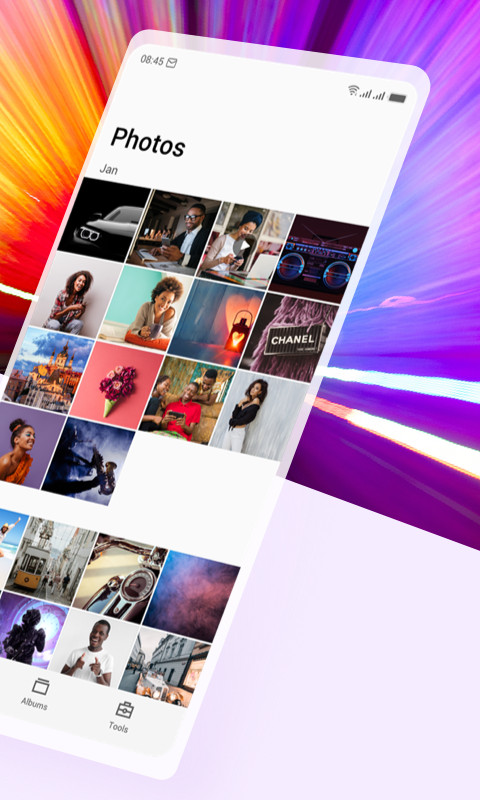
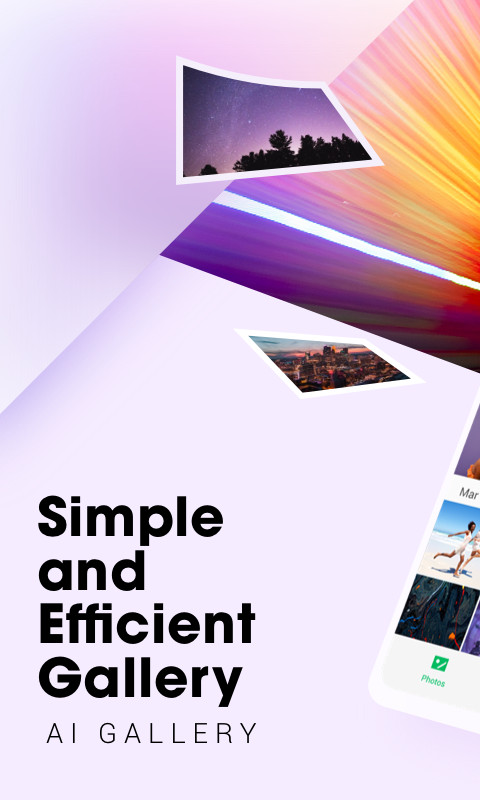
AI Gallery is a photography app by Transsion Holdings that helps you manage, organize, and edit the photos and videos stored on your Android device. It serves as a complete gallery replacement, offering a clean homepage for quick access to your media, automatic album classification, built-in editing tools, and cleanup features that remove unwanted or duplicate files to free up storage space. The app is designed to be fast and lightweight, with a focus on everyday usability for people who take a lot of pictures and want a simple way to keep their library tidy.
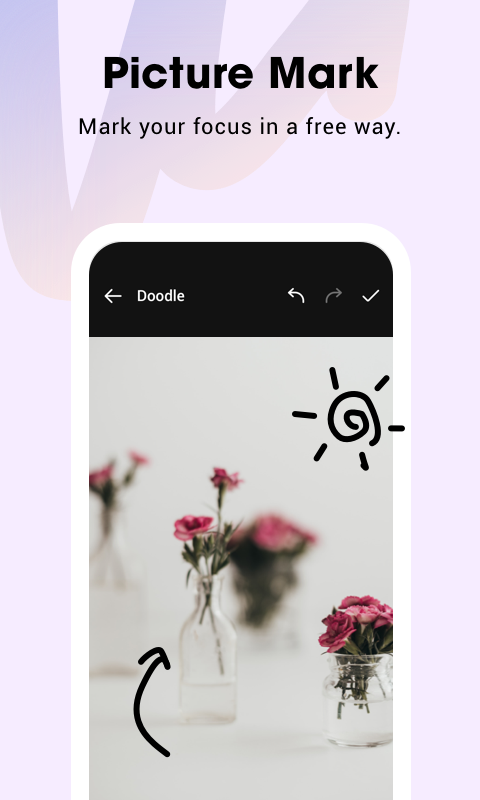
The app's main strengths lie in its organization and maintenance capabilities. It automatically sorts your photos into well-structured albums, making it easier to find specific images without scrolling through a long list. For those who enjoy creative touches, AI Gallery provides multi-template puzzles so you can combine several photos into a single frame, along with a full set of editing tools for cropping, marking, and adding mosaics. A standout feature is photo compression, which uses an advanced algorithm to reduce the file size of your images without noticeable quality loss, helping you reclaim valuable storage space on your phone.
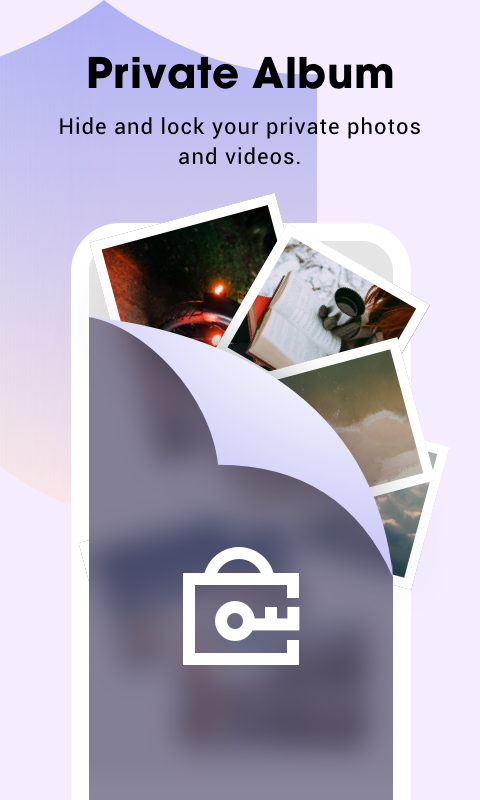
Beyond basic management, the app includes several practical extras that make it a versatile daily companion. Dark mode is available for comfortable viewing at night, and you can create slideshows, share images directly to social media, view detailed file information, set any picture as your wallpaper, and zoom in with simple gestures. For users on supported Tecno and Infinix devices, there is also a private album feature that lets you hide sensitive pictures behind a password. With version 15.0.3.054, the app introduces a new UI design and adds the compression tool, along with a picture marking function that works across devices.
AI Gallery is suitable for anyone who wants a faster, ad-free alternative to the default gallery app on their phone. It is particularly useful for people with large photo libraries who struggle with storage space, as well as those who appreciate automatic organization and basic editing without needing a separate, heavier app. The app requires Android 12 or newer and is about 166 MB in size, making it a reasonable download for the feature set it provides. While the interface is straightforward, the app is best for users who prefer a no-frills approach to managing their media on a daily basis.
Key features
- Reorganized homepage that makes it easy to select the photos you need quickly
- Efficient album classification that keeps your albums neatly ordered
- Multi-template puzzles for creating custom photo collages
- Complete picture editing tools, including marking, mosaics, and free cropping
- Photo cleanup that removes too-dark, blurry, and duplicate photos to free up space
- HD lossless photo compression to save storage without quality loss
- Dark mode for comfortable use in low-light conditions
- Picture slideshow and easy sharing to social media or other apps
- Show photo and video details, set any image as wallpaper, and zoom with gestures
- Private albums with password protection (available on Tecno and Infinix phones)
How to install
- Tap the download button on this page to get the APK file for AI Gallery, which is about 166 MB in size.
- When Android asks for permission, allow your browser or file manager to install apps by enabling the 'Install unknown apps' setting for that app.
- Open the downloaded APK file from your notifications or downloads folder.
- Tap the Install button and wait for the installation to complete.
- Open the app from your app drawer and grant the necessary storage permissions when prompted.
- Make sure your device runs Android 12 or higher, as this is the minimum version required for the app to work properly.
Pros
- Completely free with no ads, providing a clean and uninterrupted experience
- Fast and lightweight design that feels snappy even with large libraries
- Built-in photo cleanup and lossless compression help free up storage space
- Includes editing, puzzles, slideshow, and wallpaper features in one app
- Automatic album classification keeps photos organized without manual effort
- Dark mode support for comfortable night-time viewing
Cons
- Private album feature only works on Tecno and Infinix devices, not all phones
- Requires Android 12 or newer, which excludes older devices
- Some permissions like managing external storage may raise privacy concerns for cautious users
- The app is relatively large at 166 MB, which may be a consideration for devices with limited space
Latest changes · 15.0.3.054
Version 15.0.3.054 introduces a new UI design and two main additions: a picture compression feature using an advanced algorithm to reduce file size without quality loss, and private albums that let you password-protect photos (available only on Tecno and Infinix devices). Also added is a picture marking tool for adding mosaics and free cropping, plus an About page. The app remains ad-free and focuses on faster, lighter performance.
Version history
| Version | Size | Requires Android | Updated |
|---|---|---|---|
| 15.0.3.054 | 166 MB | 12 | Jun 4, 2025 |
| 5.6.1.045 | 77 MB | 12 | Jul 28, 2024 |
| 5.5.0.022 | 74 MB | 8.0 | Jan 24, 2024 |
AI Gallery is for Android users who want a fast, ad-free gallery app that automatically organizes their photos, helps reclaim storage through cleanup and compression, and offers basic editing and puzzle tools without the complexity of a full photo editor. It is especially suited for people on Tecno or Infinix phones who can take advantage of the private album feature, and for anyone running Android 12 or newer who values simplicity and speed in managing their daily photo library.
To get the most out of AI Gallery, use the photo cleanup tool regularly to remove blurry or duplicate images and free up space. When compressing photos, you can keep the originals if you want to preserve them, but for everyday sharing, the lossless compression is a good way to save storage. If you have a Tecno or Infinix device, set up a private album for sensitive pictures right away, as this feature is not available on other phones. Also, remember to grant storage permissions when first opening the app so that album sorting and editing features work correctly.
Permissions
FAQ
Which version of AI Gallery is described and what is its installation size?
The app is at version 15.0.3.054, updated on 2025-06-04, and its installation size is 166 MB. It requires Android 12 or newer.
Will the password-protected private album feature work on my phone?
Private albums, which let you hide pictures with a password, are provided only on Tecno and Infinix phones; the feature is not available on other devices.
What does the photo cleanup tool actually remove?
The cleanup utility targets too dark, blurry, and duplicate photos so they no longer take up space on your device.
Does compression reduce picture quality?
The compression feature uses an advanced algorithm to reduce the memory space cost of pictures without quality loss (HD lossless compression), helping free up storage on your phone.
What editing and puzzle options are included besides basic cropping?
Besides cropping, you can mark pictures, add mosaics, use rich multi-template puzzles, and access complete picture editing. The app also includes dark mode, slideshow, wallpaper setting, gesture zoom, album creation, and photo/video details.
AI Gallery is a practical, ad-free gallery app that combines fast photo management with useful cleanup and editing tools. Its automatic organization and storage-saving features make it a solid choice for daily use, especially for those on supported devices who want the extra privacy of hidden albums. If you are looking for a lightweight way to keep your photos tidy and your storage free, this app is worth trying on your Android 12+ phone.
Similar apps
 Samsung GallerySamsung Electronics Co., Ltd. · ★ 3.8 · Photography · 58 MB
 GalleryGoogle LLC · ★ 4.2 · Photography
 Picsart AI Photo Editor, VideoPicsArt, Inc. · ★ 3.9 · Photography · v31.2.6
 BeautyPlus-Selfie Photo EditorPIXOCIAL TECHNOLOGY (SINGAPORE) PTE. LTD. · ★ 4.5 · Photography · v7.50.0
 FaceApp: Perfect Face EditorFaceApp Technology Ltd · ★ 4.3 · Photography · 36 MB
 Video Editor & Maker - InShotInShot Video Editor · ★ 4.8 · Photography · v2.250.1556
 SpaceBeamPhotography · 60 MB
More from this developer


Updated: Nov 25, 2026