Google Home: Smart Home Controller
Google Home is a smart home controller by Google LLC for setting up and controlling compatible Nest, Chromecast, and Google Home devices.
Google Home is a free smart home app by Google LLC for people who manage Nest, Chromecast, and other compatible smart devices from one place. It supports voice control through Gemini for Home, quick scanning of camera events, and grouping devices into dashboards. The Android version requires Android 8.0 or newer, and the download size is 83 MB.
Screen gallery
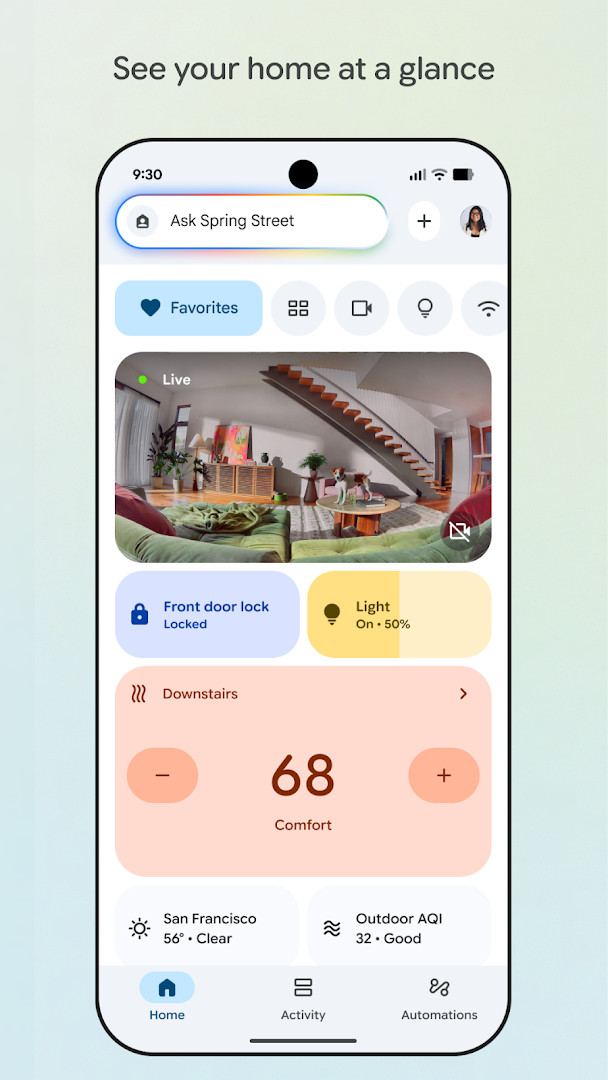
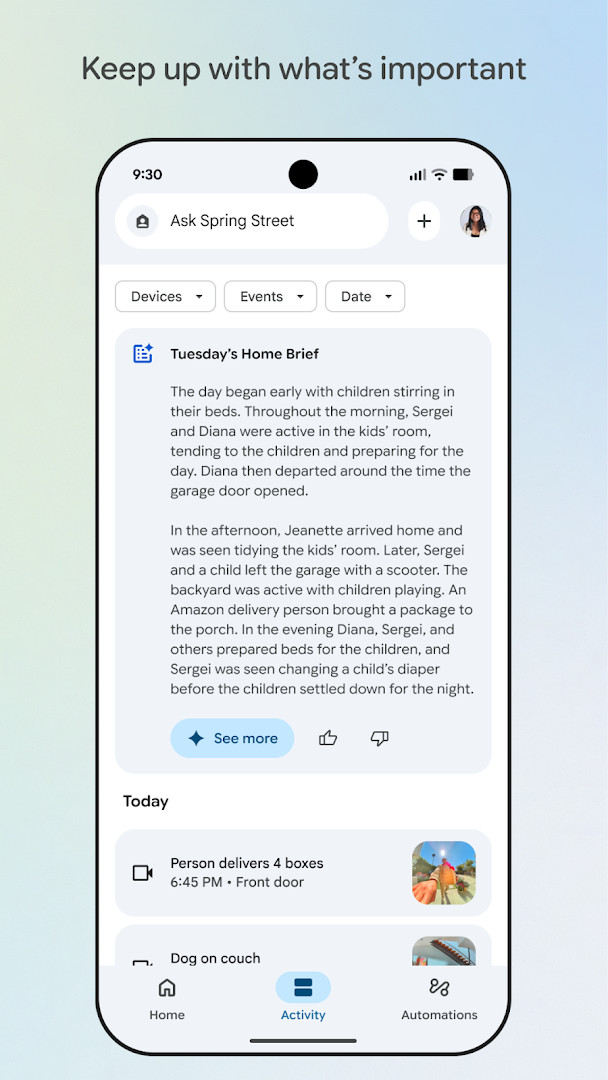
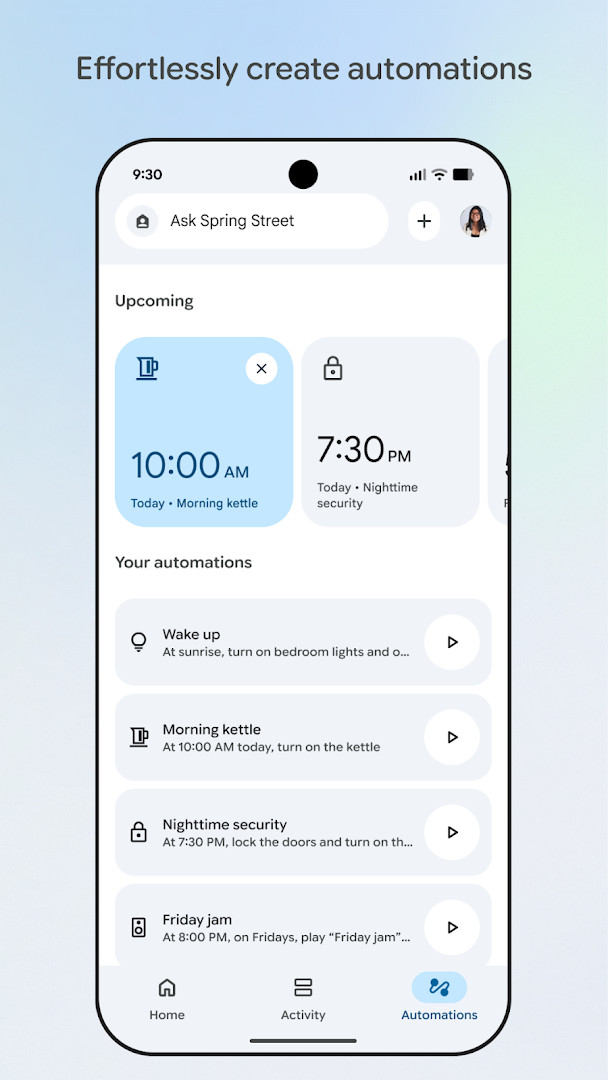
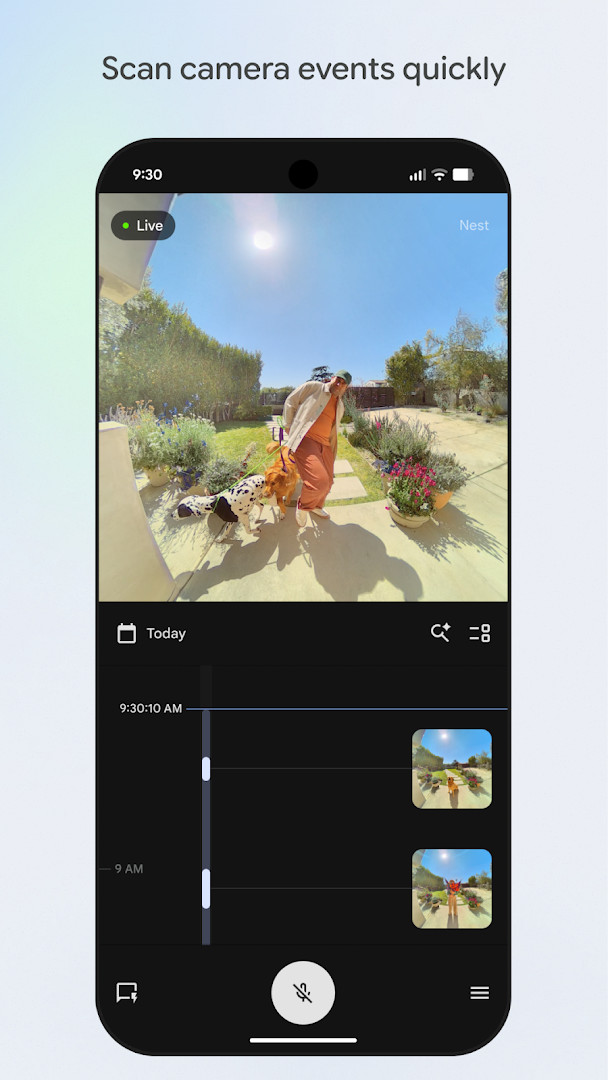
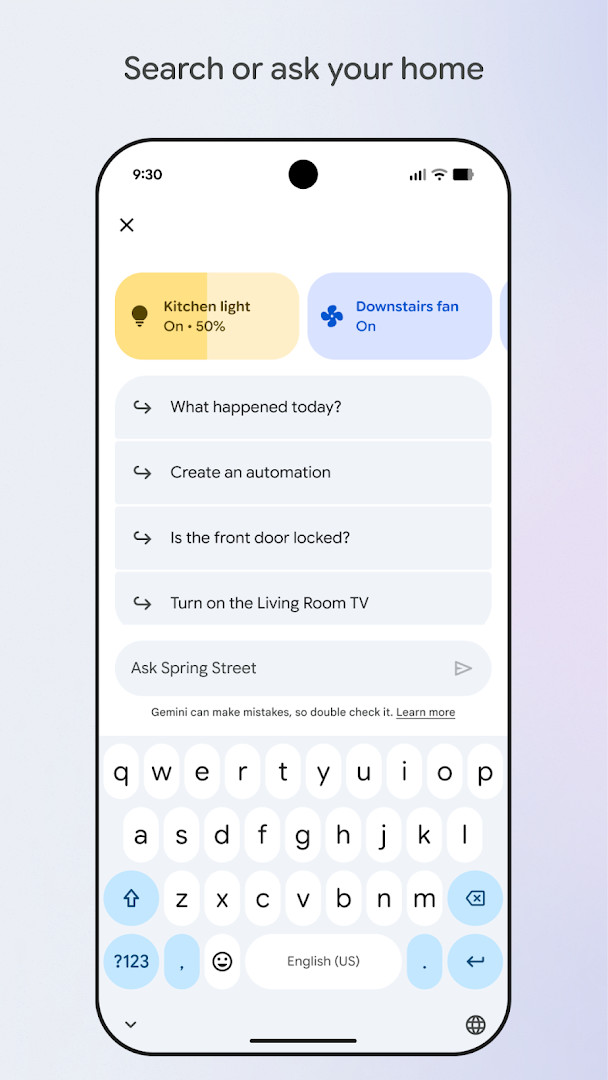
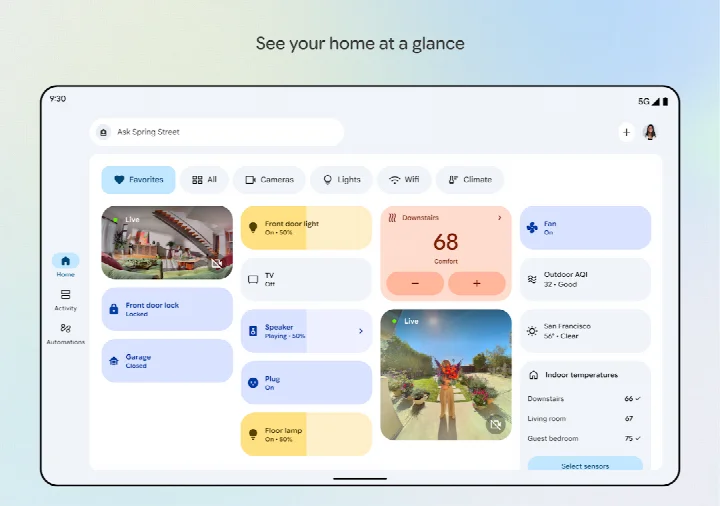
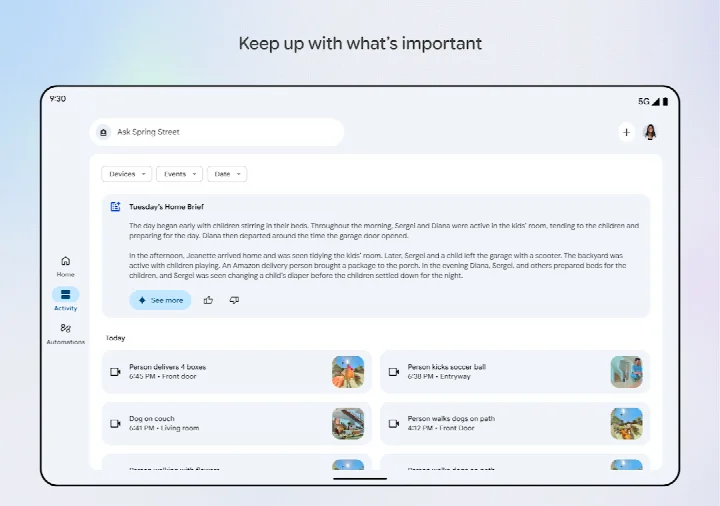
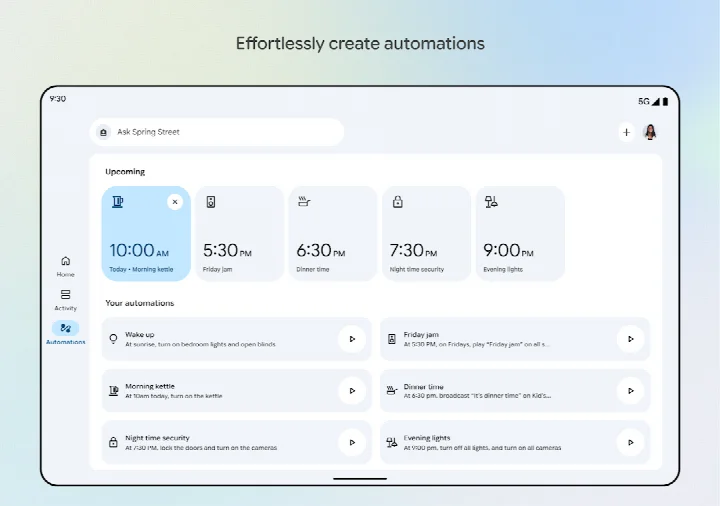
Google Home is a lifestyle app by Google LLC that helps you set up and manage compatible Nest, Chromecast, and Google Home devices. It solves the problem of juggling several smart-home apps by centralizing device setup, live camera views, event history, and automations in one place. The app shows the status of your home at a glance, groups devices into dashboards for quicker navigation, and lets you check in on what happened while you were away. It also adds a voice-driven layer powered by Gemini for Home, so you can simply say what you want your devices to do instead of digging through menus and settings.
Key features
- View the overall status of your home and catch up on recent events from a single screen
- Group compatible devices into dashboards to keep your setup organized and easier to navigate
- Check camera live views and scan event history to quickly see what happened at your door or around the house
- Use Gemini for Home to control devices by saying what you want them to do
- Set up and manage compatible Nest, Chromecast, and other Google Home devices
- Pin frequently used devices, actions, and automations to a Favorites tab for quicker access
- Create and manage routines from the Automations tab
- Review and adjust permissions from a consolidated Settings tab
How to install
- Tap the download button on this page to get the 83 MB APK file.
- When Android prompts you, allow your browser or file manager to install apps by enabling the "Install unknown apps" setting.
- Open the downloaded APK file from your notifications or your Downloads folder.
- Tap Install and wait for the installation to finish.
- Open the app and sign in with your Google account; the app requires Android 8.0 or later.
Pros
- Free to download and use, with no ads included
- Centralizes setup and control for a wide range of compatible smart-home devices
- Camera live view and event history make reviewing what happened quick and convenient
- Voice control through Gemini for Home adds a hands-free option
- Regular updates bring new features, improvements, and bug fixes
Cons
- Requests access to many areas, including camera, microphone, location, contacts, phone, and storage
- Includes in-app purchases, so some optional items may cost money
- Some products and features are not available in all regions
- Requires compatible devices, so it offers little value without a smart-home setup
Latest changes
The latest update to Google Home, released on November 20, 2026, brings a refreshed design and streamlined organization to help you group devices into dashboards and navigate settings more easily. You can now check in on your home at a glance, quickly scan camera events through an improved live view and history interface, and use Gemini for Home to control your devices by simply saying what you want them to do. This release also includes general improvements and bug fixes, with details available in the in-app notes.
Version history
| Version | Size | Requires Android | Updated |
|---|---|---|---|
| 3.4.1.5 | 83 MB | 8.0 | Sep 18, 2025 |
Google Home is for people who own, or plan to build, a smart home around Nest, Chromecast, or other compatible products and want a single app to set things up, watch camera feeds, and create routines. It also suits users who like to check in on their home from anywhere and want a quick recap of recent events, as well as those who prefer hands-free control by simply telling their devices what to do.
Pin your most-used devices and automations to the Favorites tab so they appear as soon as the app opens, and group devices into dashboards to reduce the time spent navigating settings.
Permissions
FAQ
Is Google Home free to download?
Yes, Google Home is free; its price is 0.00 USD. While the app itself costs nothing, it does include some in-app purchases.
Which Android version do I need and how large is the app?
Google Home requires Android 8.0 or newer. The app is about 83 MB in size.
Does Google Home require an account?
The app listing does not specify an account requirement. To get started, you will need compatible Nest, Chromecast, or Google Home devices.
What permissions does the app ask for?
The app requests access to Identity, Contacts, Location, Phone, Photos/Media/Files, Storage, Camera, Microphone, and Wi-Fi connection information. These support setting up and controlling your compatible smart home devices.
Does the app contain ads or in-app purchases?
Google Home is ad-free. It does offer in-app purchases.
How do I update Google Home?
Each release brings new features, improvements, and bug fixes. To get the latest version, simply download the new version from this page; the current listed version is 3.4.1.5, dated 2025-09-18.
Google Home is a practical companion for anyone with a growing collection of compatible smart-home gear. If you already use Nest, Chromecast, or similar products, it is worth trying as a single control point, though you will need to accept its broad permission requests.
Similar apps
 YouTubeGoogle LLC · ★ 3.8 · Entertainment · 156 MB
 Google GeminiGoogle LLC · ★ 4.5 · Productivity
 Google WalletGoogle LLC · ★ 4.3 · Finance · 16 MB
 SmartThingsSamsung Electronics Co., Ltd. · ★ 4.6 · Lifestyle · 227 MB
 PinterestPinterest · ★ 4.2 · Lifestyle
 Tinder: Match & Meet SinglesTinder LLC · ★ 4.0 · Lifestyle · v17.43.0
 Life360: Family Safety & GPSLife360 · ★ 4.8 · Lifestyle · v26.44.0
 Amazon AlexaAmazon Mobile LLC · ★ 4.1 · Lifestyle · v2.2.734327.0
More from this developer
 Google MeetGoogle LLC · ★ 4.4 · Communication · 118 MB
 Google Play servicesGoogle LLC · ★ 4.3 · Tools · 266 MB
 GmailGoogle LLC · ★ 4.1 · Communication · 26 MB
 Digital WellbeingGoogle LLC · ★ 3.6 · Tools
 Speech Recognition & SynthesisGoogle LLC · ★ 4.0 · Tools · 15 MB
 Google ChromeGoogle LLC · ★ 4.1 · Communication · 218 MB
Updated: Nov 26, 2026